How to Make Your Venmo Account Completely Private

By Trae Jacobs,

When you buy through our links, we may earn an affiliate commission.
Your Venmo transactions, friends list, and location data are currently visible to others. You can update your privacy settings to keep your activity to yourself.
- Open the Venmo app and tap the Me tab at the bottom, then tap the Settings gear icon in the top corner [0:22].
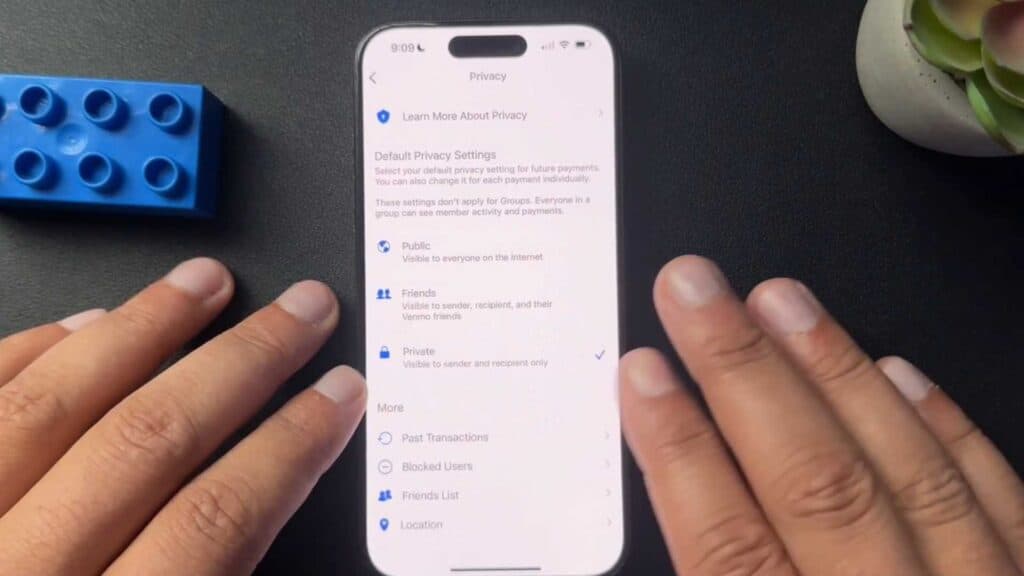
- Scroll down to the Privacy section and change your future payment setting to Private [0:33].
- Tap More within the privacy menu to select Past Transactions and switch those to Private as well [0:44].
- Go to your Friends List settings and set it to Private so others cannot view who you are connected with [0:59].
- Toggle off the option to appear in other users’ friends lists if you want to remain hidden from their view [1:06].
- Select Location in the settings menu and set it to Never to stop sharing your location with the app.
Ninja Tip: Check your linked social media accounts under the app settings and disconnect them, as some apps automatically pull in your contact list and broadcast your activity through those platforms.
If you want to clear all data and start fresh, you can remove your account through Settings > Account > Close my Venmo account.
Keep Reading


