How to Make Your Instagram Account Private

By Trae Jacobs,

When you buy through our links, we may earn an affiliate commission.
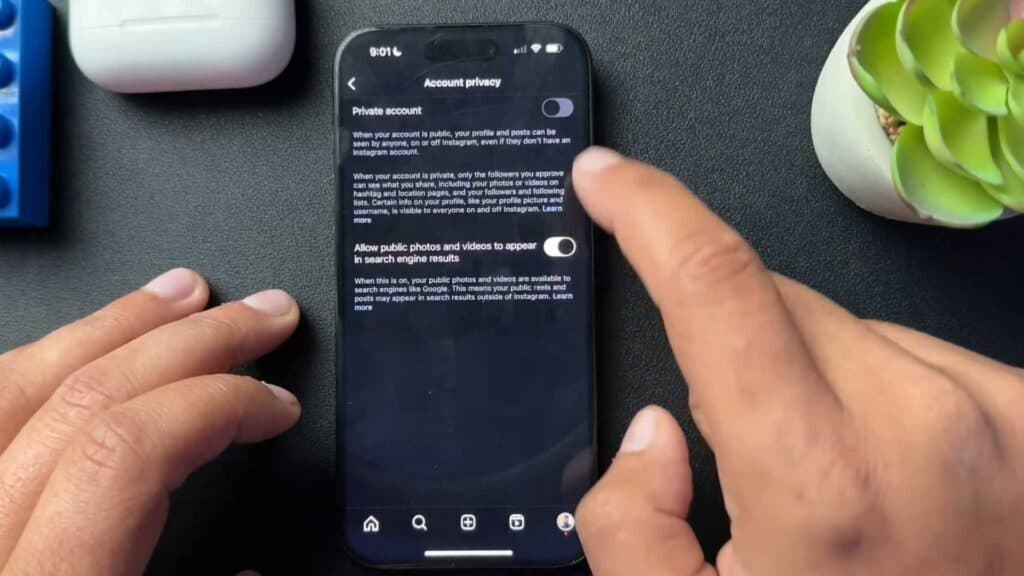
Your Instagram account is currently set to public, meaning anyone can view your photos and profile activity. You can change this setting to private to limit your audience to only people you approve.
- Open your Instagram profile and navigate to your settings menu. [0:31]
- Locate the Account Privacy section and toggle the switch to the on position. [0:38]
- If you currently use a professional or business account, you must first switch back to a personal account in your settings to enable privacy. [0:44]
- Once you toggle the private setting on, review your current followers list to ensure you approve of who can see your content.
Ninja Tip: Even with a private account, remember that your profile picture, display name, and bio remain visible to everyone on the platform. Regularly audit your approved follower list to remove accounts you no longer recognize or wish to share your content with.
To revert to a personal account, go to Settings > Account type and tools > Switch account type.
Keep Reading



