How to Log Out of Your TikTok Account on iPhone

By Trae Jacobs,

When you buy through our links, we may earn an affiliate commission.
You need to sign out of your TikTok account on your iPhone. You can follow these steps to secure your account or switch to a different one.
- Open the TikTok app and tap on the Profile icon located at the bottom right of your screen. [0:08]
- Tap the three-line menu icon, also known as the hamburger menu, in the top right corner. [0:13]
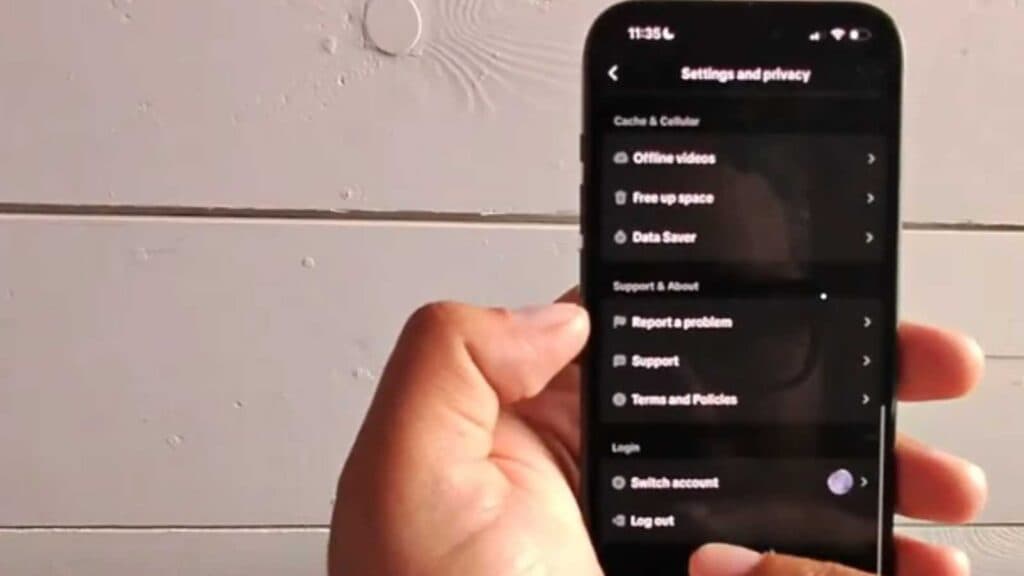
- Select Settings and privacy from the menu options. [0:19]
- Scroll to the very bottom of the page and tap Log out. [0:23]
- Confirm your choice by tapping Log out again in the pop-up window to finish signing out of the account.
Ninja Tip: If you want to prevent others from accessing your account after you log out, remember to clear your app cache under the ‘Free up space’ menu within your TikTok settings before you sign out.
If you still face login issues, navigate to Settings > General > iPhone Storage > TikTok > Delete App to perform a clean reinstall.
Keep Reading



