How to Log Out of Your Instagram Account on iPhone

By Trae Jacobs,

When you buy through our links, we may earn an affiliate commission.
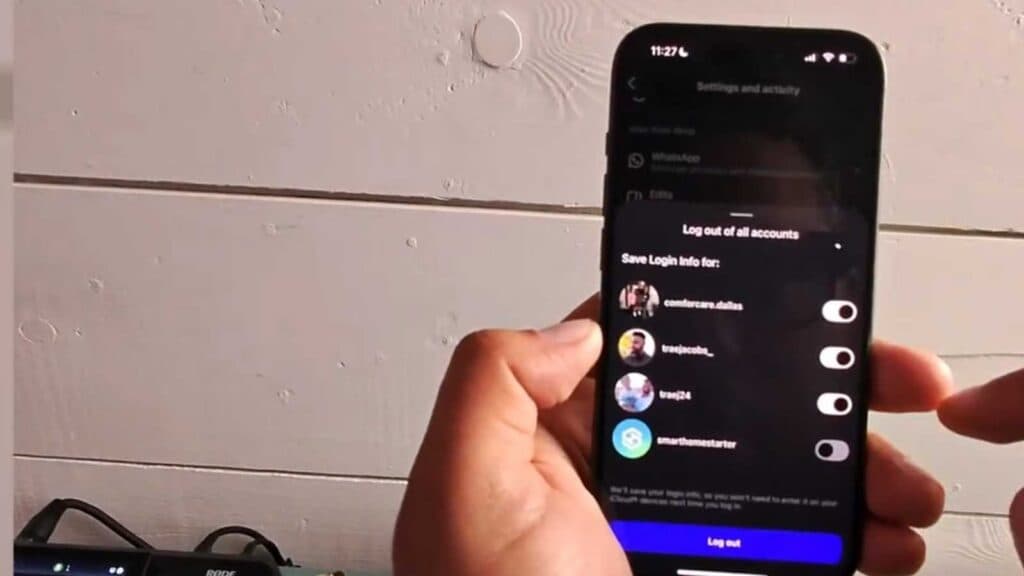
You need to sign out of your Instagram account on your iPhone. You can remove your account from the app by following these steps.
- Open the Instagram app and go to your profile page [0:17].
- Tap the menu icon represented by three horizontal lines at the top right of your screen [0:21].
- Scroll down to the very bottom of the menu and select the Log out option [0:30].
- Select the specific account you want to sign out of, or choose to select all of them if you have multiple accounts linked.
- Tap the final Log out button to remove the account from your device.
Ninja Tip: If you want to keep your login information saved for faster access later without staying logged in, simply toggle the “Remember me” setting off before confirming your logout.
If you still face issues with your account, perform a full reset by navigating to Settings > General > Transfer or Reset iPhone > Erase All Content and Settings.
Keep Reading


