How to Log Out of WhatsApp on Linked Devices

By Trae Jacobs,

When you buy through our links, we may earn an affiliate commission.
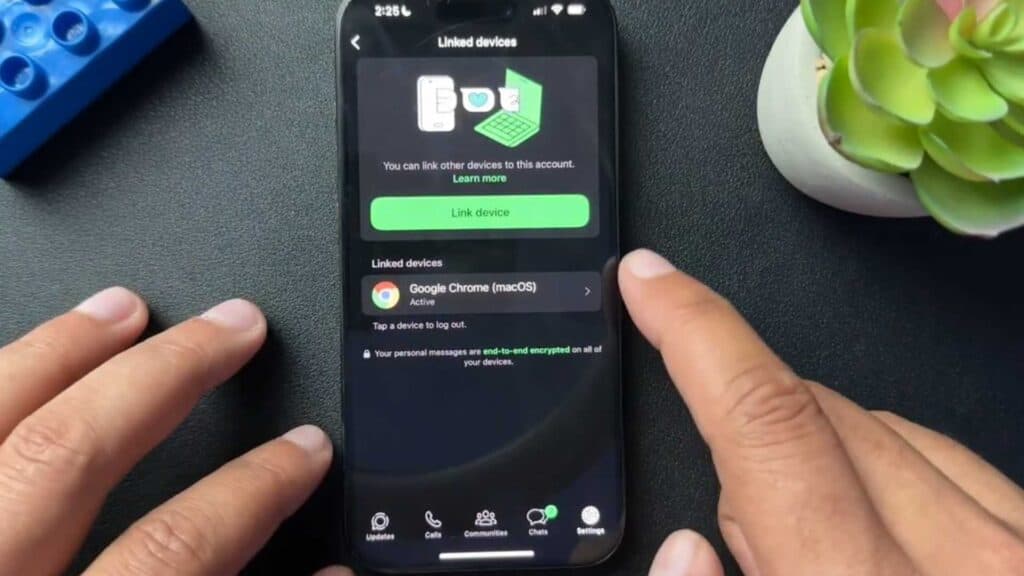
Unauthorized devices currently have access to your WhatsApp account through active links. You can remove these connections to secure your account immediately.
- Open the Settings menu within your WhatsApp app [0:20].
- Tap on the Linked Devices option to see a list of all computers or browsers currently connected to your account [0:31].
- Select the specific device you want to remove and tap the Log Out button to unlink it [0:41].
Ninja Tip: To add an extra layer of security, enable Two-Step Verification in your Account Settings so a PIN is required whenever you register your phone number with WhatsApp again.
For a complete account reset, you can delete your account by going to Settings > Account > Delete Account.
Keep Reading




