How to Link Your Spotify Account to Alexa

By Trae Jacobs,

When you buy through our links, we may earn an affiliate commission.
Your Alexa device currently does not play music from your Spotify account. You can connect these two services by following a few simple steps.
- Open the Alexa app on your phone, go to the More tab at the bottom right, and select Skills and Games [0:12].
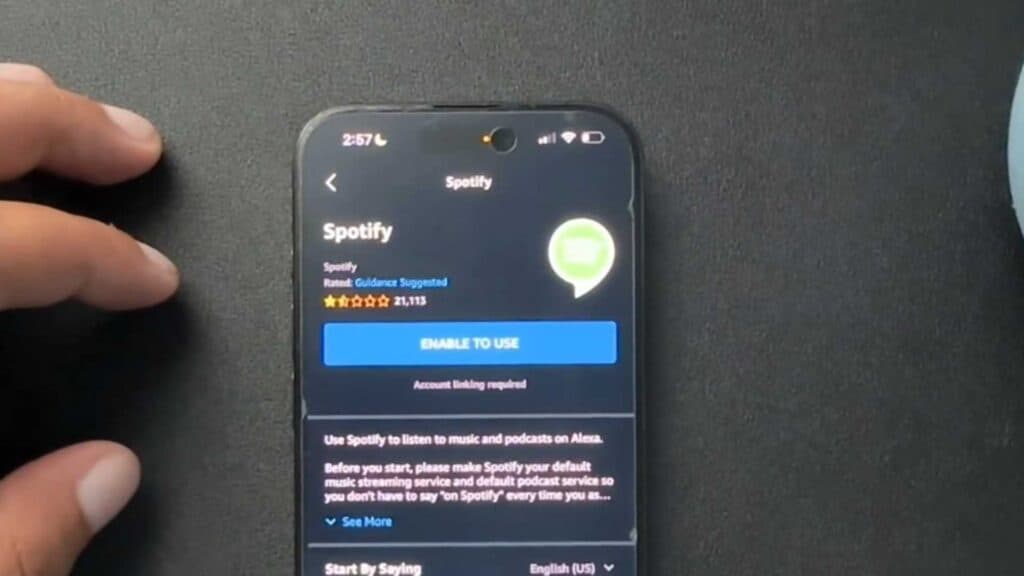
- Search for the Spotify skill using the search bar, tap the correct result with the logo, and select Enable to Use [0:27].
- Follow the prompts on your screen to link your Spotify account by selecting Agree [0:54].
- Once linked, you can set Spotify as your default music provider in the app’s music settings if you prefer it over other services.
Ninja Tip: You can also use the Spotify app on your phone to link your account by tapping the speaker icon to open the Spotify Connect menu and selecting your Echo device from the list of available devices.
If you still face connection issues, perform a factory reset on your device by navigating to Device Settings > About > Factory Reset.
Keep Reading


