How to Leave an Instagram Group Chat

By Trae Jacobs,

When you buy through our links, we may earn an affiliate commission.
You are receiving notifications from an Instagram group chat that you want to exit. You can remove yourself from the conversation by following these steps.
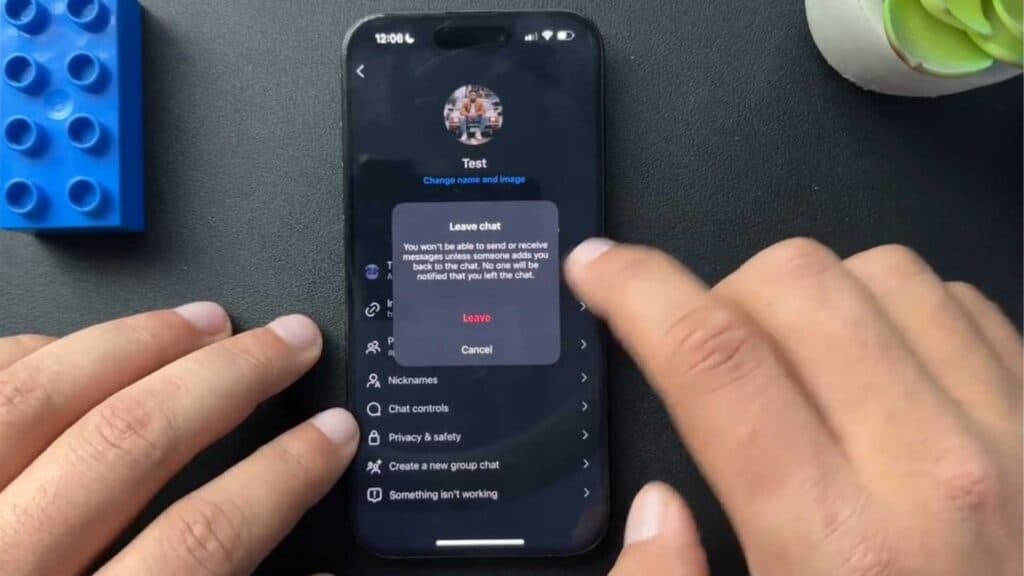
- Open the group chat and tap the name of the group at the top of your screen. [0:21]
- Scroll down to the bottom and select the “Leave” button located underneath the group image. [0:26]
- Tap “Leave” again to confirm your choice, which will remove you from the group and delete it from your feed.
Ninja Tip: If you don’t want to leave the group entirely but are tired of the noise, tap the group name and toggle on “Mute Messages” instead to stop the notifications.
If you are unable to leave the group, you can block the group creator by going to their profile, tapping the three dots in the top right corner, and selecting “Block.”
Keep Reading



