How to Leave an Amazon Product Review

By Trae Jacobs,

When you buy through our links, we may earn an affiliate commission.
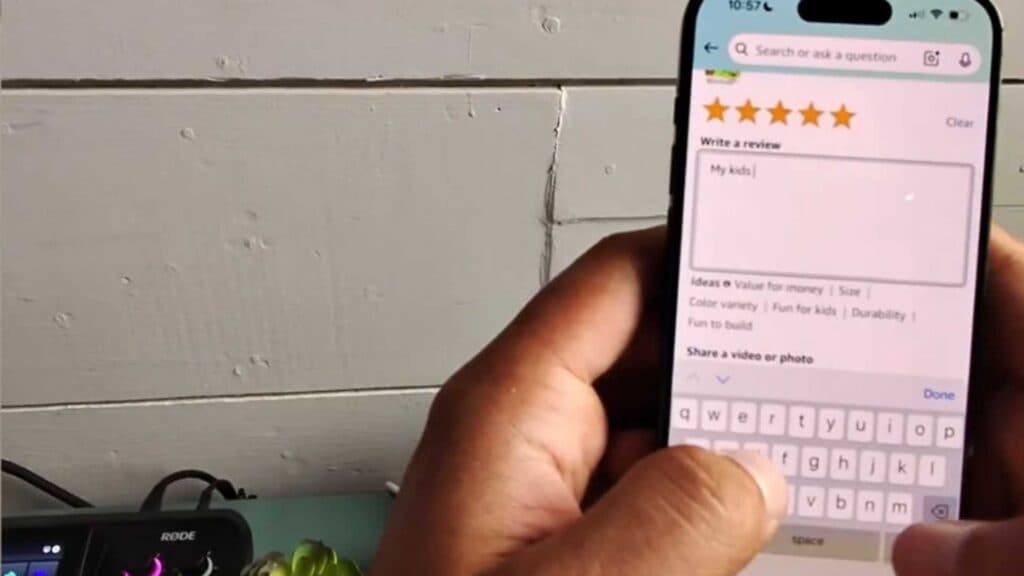
You need to share your feedback on a recent Amazon order, but you aren’t sure where to find the review section. You can leave your thoughts by following these simple steps.
- Open the Amazon app or website menu by selecting the three horizontal lines and navigate to your “Orders” page. [0:08]
- Locate the item you want to review and select it to open the product details page. [0:13]
- Scroll down to the “How’s your item?” section where you can choose to write a text review, record a video review, or leave seller feedback. [0:27]
- Select your preferred method, enter your rating, write your comments, and upload any media if you choose. [0:37]
- If the product is categorized as a toy, you may be prompted to select the appropriate age range for the item. [1:06]
- Review your submission details and click submit to finalize your feedback.
Ninja Tip: You can quickly find your pending reviews by going to the “Account” menu and selecting “Review your purchases,” which lists all items waiting for your input without needing to search through your full order history.
If you encounter a persistent error when submitting, clear your browser cache or app data by going to Settings > Apps > Amazon > Storage > Clear Data.
Keep Reading


