How to Hide Instagram Messages Without Deleting Them

By Trae Jacobs,

When you buy through our links, we may earn an affiliate commission.
Your Instagram inbox contains message threads that you want to keep hidden from view. You can remove these threads from your main list using the platform’s restrict feature without losing the chat history.
- Open your Instagram messages and select the specific conversation you want to hide [0:20].
- Tap the name of the person at the top to open their profile [0:40].
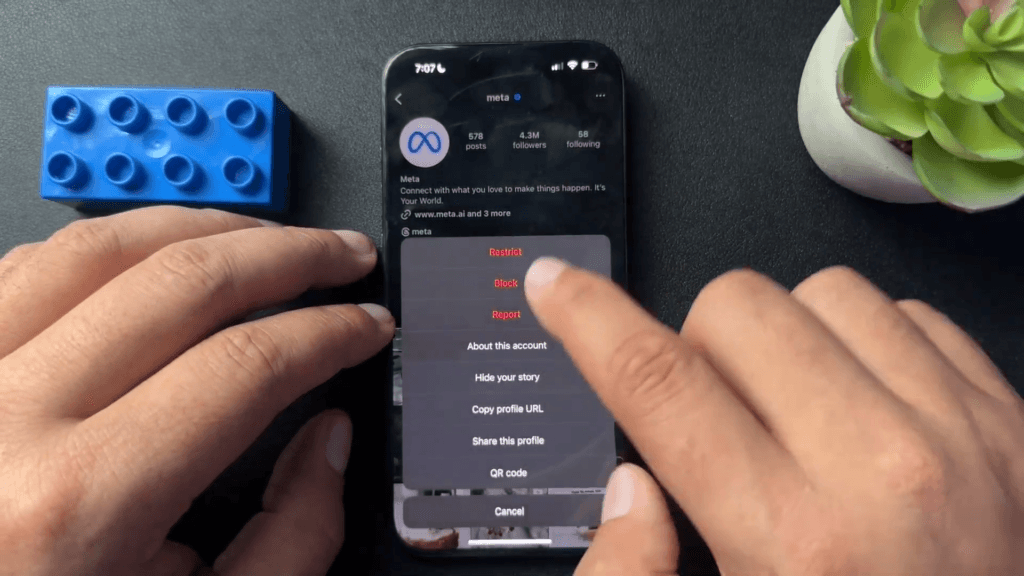
- Tap the three dots in the top right corner and select “Restrict” [0:46]. This action moves the thread out of your main inbox.
- To get the message thread back, search for the user’s profile, hit those same three dots, and select “Unrestrict.“
Ninja Tip: Keep in mind that when you restrict someone, their new messages will be sent to your “Message Requests” folder instead of your main inbox, and they won’t be able to see when you have read their messages.
If you want to remove your account entirely, navigate to Settings > Account Center > Personal details > Account ownership and control > Deactivation or deletion.
Keep Reading



