How to Force Restart Your Meta Ray-Ban Smart Glasses

By Trae Jacobs,

When you buy through our links, we may earn an affiliate commission.
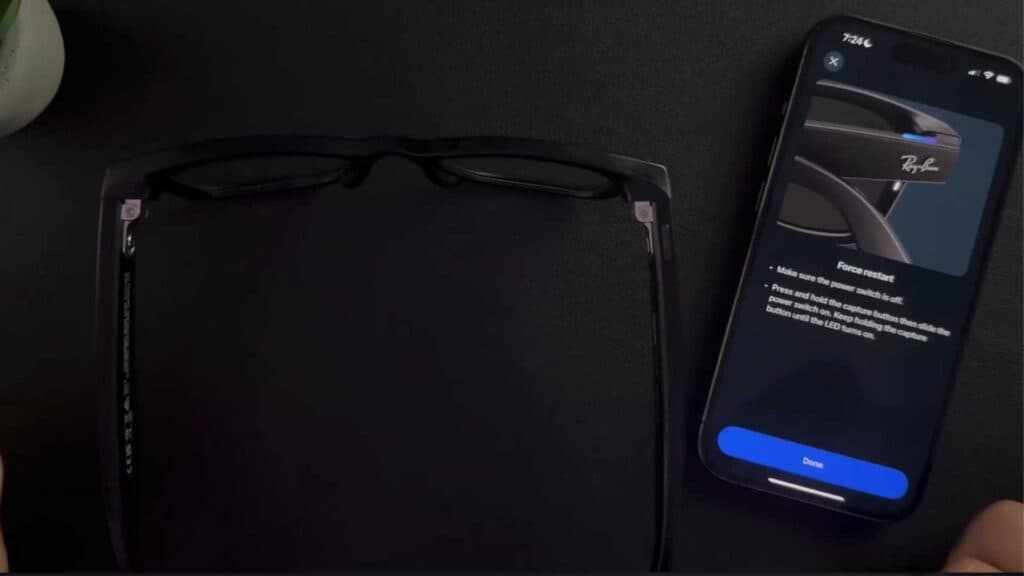
Your Meta Ray-Ban glasses are frozen and not responding to your commands. You can fix this by performing a manual force restart.
- Move the toggle switch on the side of the frames to the off position [0:18].
- Press and hold down the capture button while simultaneously sliding the power switch to the on position [0:24].
- Continue holding the capture button until the LED light turns on, then release it [0:33].
- Wait for the status light to begin blinking white, which confirms the glasses are restarting and searching for a connection.
Ninja Tip: If the glasses still fail to connect after a restart, ensure your phone’s Bluetooth is toggled off and back on before attempting to pair them again in the Meta View app.
If the issue persists, perform a factory reset through the Meta View app by going to Your Glasses > Settings > Factory Reset.
Keep Reading



