How to Fix Blinking Lights on Meta Ray-Ban Smart Glasses

By Trae Jacobs,

When you buy through our links, we may earn an affiliate commission.
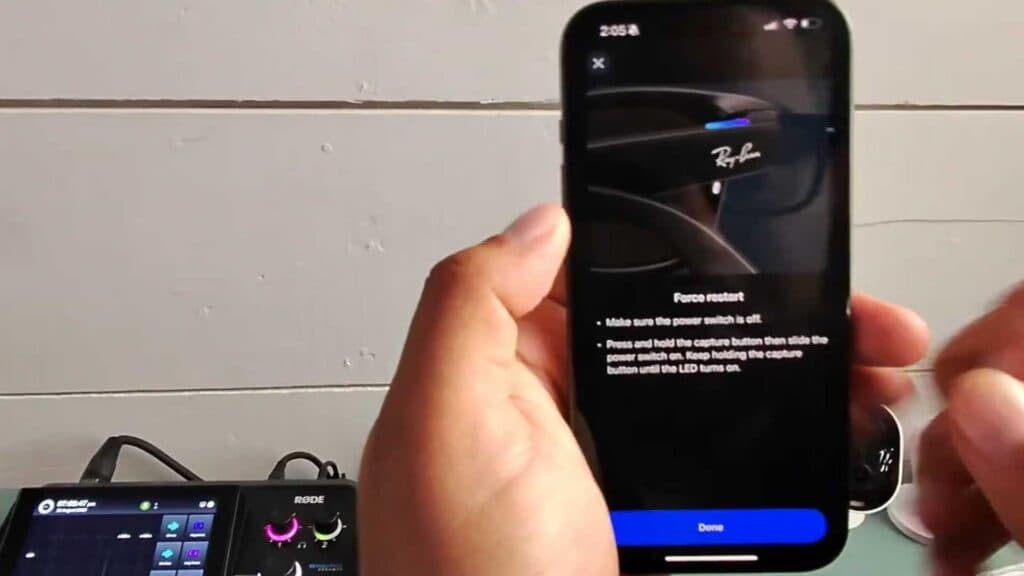
Your Meta Ray-Ban smart glasses are blinking, not recording, and refusing to connect to the app. You can resolve this by performing a forced restart.
- Open the Meta View app on your phone, go to Settings, select General, and choose the option to force a restart [0:17].
- Turn off the glasses by sliding the power switch on the left hinge until you see the small red dot [0:48].
- Press and hold the button located on the top of the right frame above the logo while sliding the power switch back to the on position.
Ninja Tip: If the connection issue persists, clean the charging contact pins inside the case and on the glasses with a dry microfiber cloth, as dirt buildup often prevents a stable connection for updates.
For more persistent issues, you can perform a factory reset through the Meta View app by navigating to Settings > Your Glasses > Factory Reset.
Keep Reading



