How to Fix a Blue Tint on Your LG TV Screen

By Trae Jacobs,

When you buy through our links, we may earn an affiliate commission.
Your LG TV screen displays a blue tint over the entire picture. You can fix this display issue with a few simple troubleshooting steps.
- Unplug your TV directly from the wall outlet and wait 60 seconds before plugging it back in to reset the system (0:26).
- Check that your HDMI cables are clean and undamaged, then try moving them to a different HDMI port on the back of the TV (1:02).
- Open your picture settings menu to cycle through different picture modes to see if a template change clears the color shift (1:51).
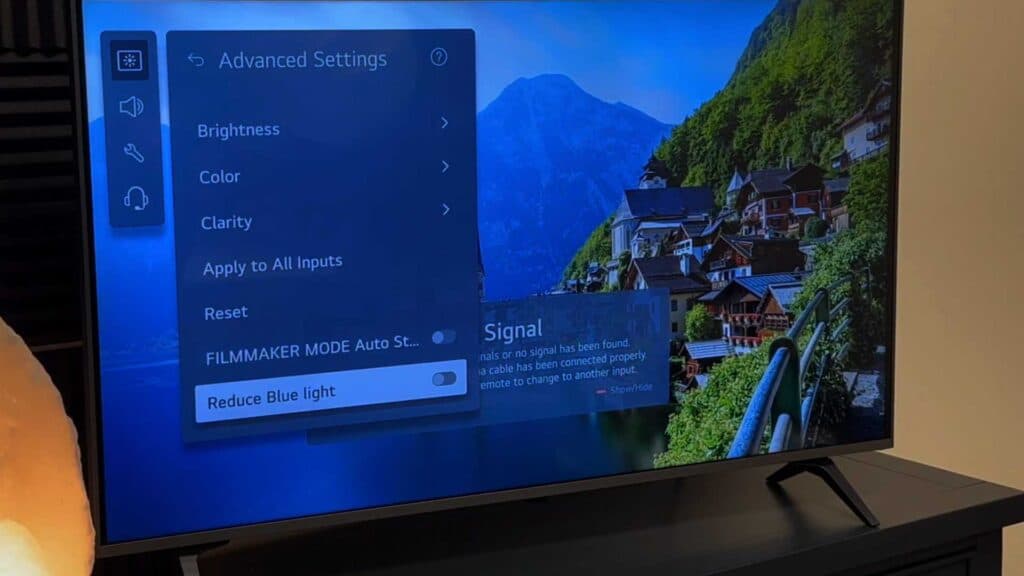
- Navigate to All Settings and look for advanced picture settings to adjust the blue light or color levels manually (2:19).
- Run a screen self-diagnosis by going to the Support section within your settings menu (3:06).
- If the blue tint persists, the internal LED backlight has likely failed, which usually requires a professional repair or purchasing a new television.
Ninja Tip: Disable the HDMI Ultra HD Deep Color setting for your specific input, as an incompatible setting between your device and the TV can sometimes skew color output.
Perform a factory reset by navigating to Settings > General > System > Reset to Initial Settings.
Keep Reading



