How to Fix a Blinking Purple Light on your Alexa Echo

By Trae Jacobs,

When you buy through our links, we may earn an affiliate commission.
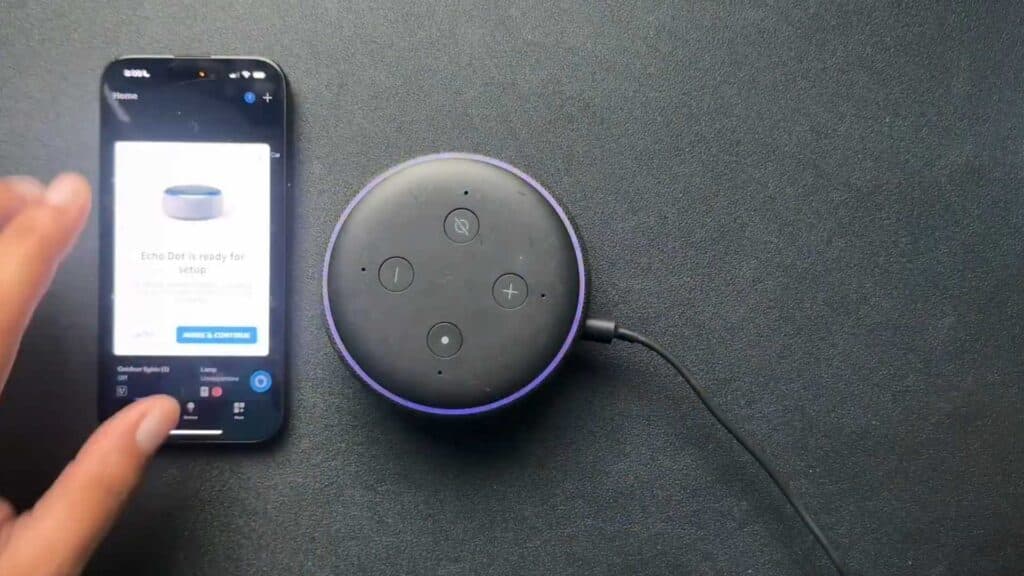
Your Alexa Echo device is currently displaying a blinking purple ring. You can resolve this issue by following a few simple steps.
- Open the Alexa app on your phone to check if it automatically prompts you to reconnect the device to Wi-Fi [0:34].
- If no prompt appears, tap the plus sign in the app, select your device type, and choose your specific Echo model [0:50].
- Press and hold the action button on the device for 10 to 15 seconds until it enters setup mode [1:16].
- Follow the on-screen instructions in the Alexa app to re-add your device to your home network.
- If your Wi-Fi is working correctly, open your device settings in the app, navigate to General, and toggle off the Do Not Disturb feature.
Ninja Tip: Check if your Alexa device is positioned too far from your router, as a weak signal is a frequent culprit for connectivity drops.
If the purple light persists, you can perform a factory reset by navigating to Devices > Echo & Alexa > [Your Device] > Settings > Factory Reset.
Keep Reading


