How to Find the MAC Address on a Ring Doorbell

By Trae Jacobs,

When you buy through our links, we may earn an affiliate commission.
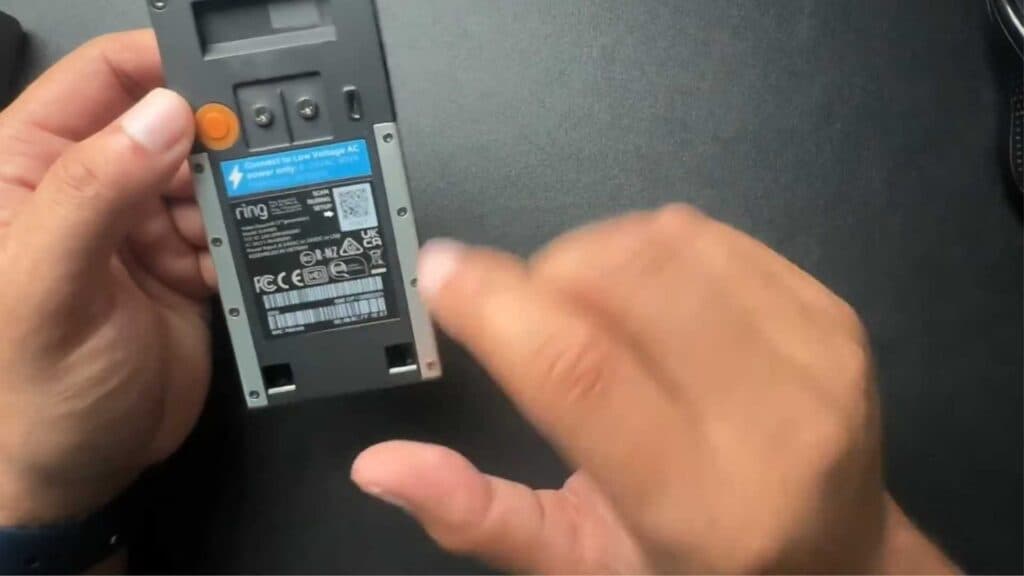
You need to locate the MAC address for your Ring Doorbell to configure your network settings. You can find this information directly on the device hardware or through the Ring app.
- Check the physical device by popping off the case or back cover to reveal a barcode that lists the MAC address [0:15].
- Open the Ring app on your phone and select the device you want to check [0:52].
- Tap on Device Health and scroll down until you see the MAC address listed.
Ninja Tip: You can also find your device’s MAC address by logging into your router’s admin panel and checking the connected devices list while your doorbell is powered on. This is helpful if the label on your doorbell has faded or is difficult to read.
If you need to completely erase your device settings, navigate to Device Settings > General Settings > Remove Device.
Keep Reading


