How to Find the Email Address Linked to Your Instagram Account

By Trae Jacobs,

When you buy through our links, we may earn an affiliate commission.
You do not know which email address is currently associated with your Instagram account. You can locate this information by navigating through the Meta Account Center in your app settings.
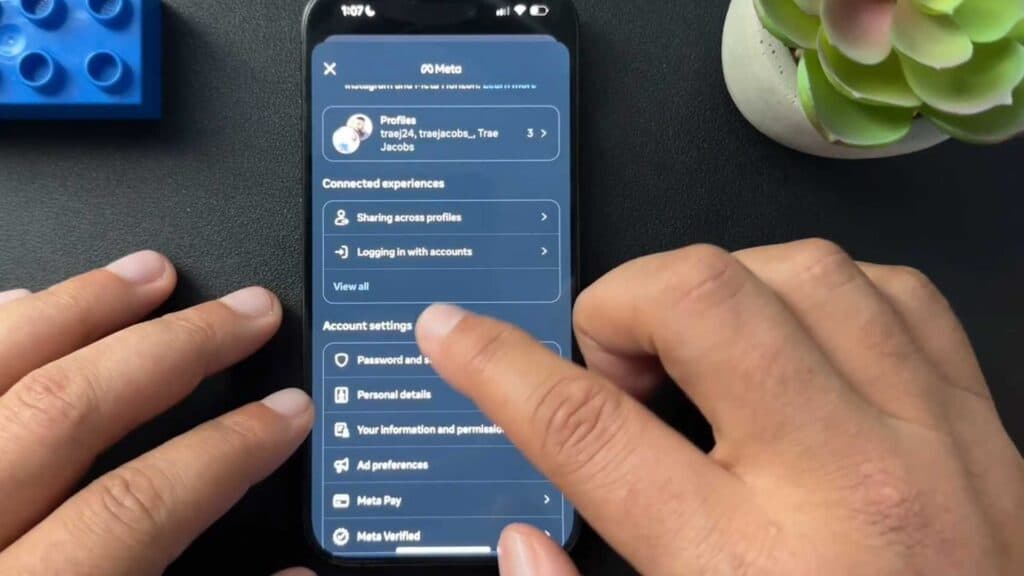
- Open your Instagram profile, tap the three-line menu icon in the top right corner, and select Accounts Center [0:27].
- Scroll down to the Account settings section and tap Personal details [0:49].
- Select Contact info to view the email address or phone number linked to your account [0:53].
- Tap on your email address to see which specific accounts it is connected to.
Ninja Tip: If you no longer have access to the email listed here, update it immediately to a current address in that same Contact info menu to ensure you don’t lose account recovery access. This is also a good time to add a verified phone number as a backup security measure.
If you cannot access your account at all, you must use the “Forgot password?” link on the Instagram login screen to begin the account recovery process.
Keep Reading



