How to Find the Email Address Associated with Your Facebook Account

By Trae Jacobs,

When you buy through our links, we may earn an affiliate commission.
You are logged into your Facebook account but cannot remember which email address is linked to your profile. You can retrieve this information by following these steps in your account settings.
- Open the Facebook app and ensure you are logged in [0:10].
- Tap the menu icon, scroll down to Settings & Privacy, and select Settings [0:16].
- Tap on Account Center to manage your account details [0:24].
- Navigate to the Account Settings section and tap Personal Details [0:30].
- Select Contact Info to view the email addresses and phone numbers linked to your account [0:48].
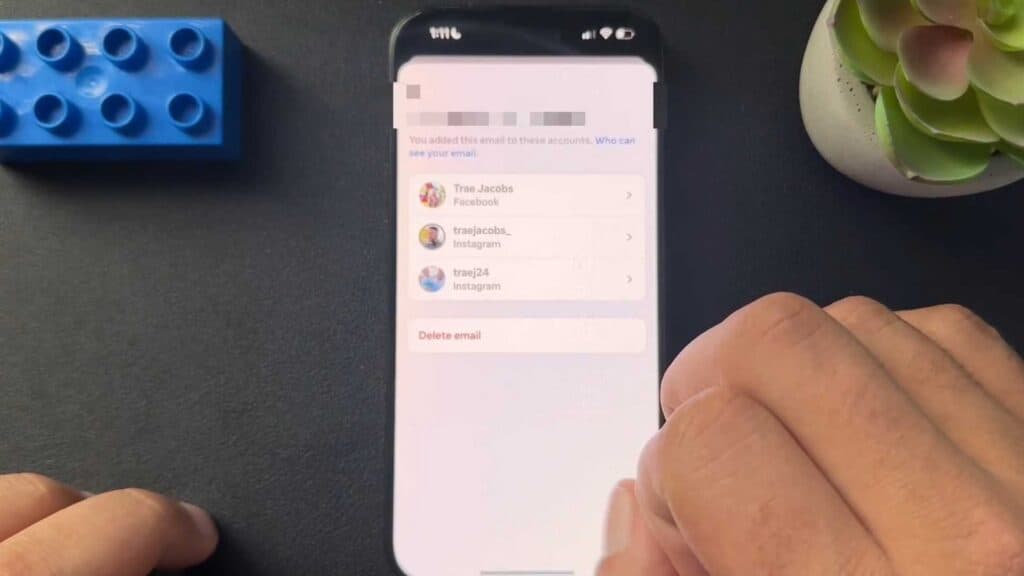
- Tap on your email address to see which specific accounts are associated with it.
Ninja Tip: If you have multiple Facebook or Instagram accounts managed under one Meta login, check the “Accounts” section within the Account Center to see if your email is linked to other profiles you might have forgotten about.
If you still cannot access your account after verifying the email, you can attempt an account recovery through Settings > Help & Support > Report a Problem.
Keep Reading



