How to Find and View Your Facebook Activity Log

By Trae Jacobs,

When you buy through our links, we may earn an affiliate commission.
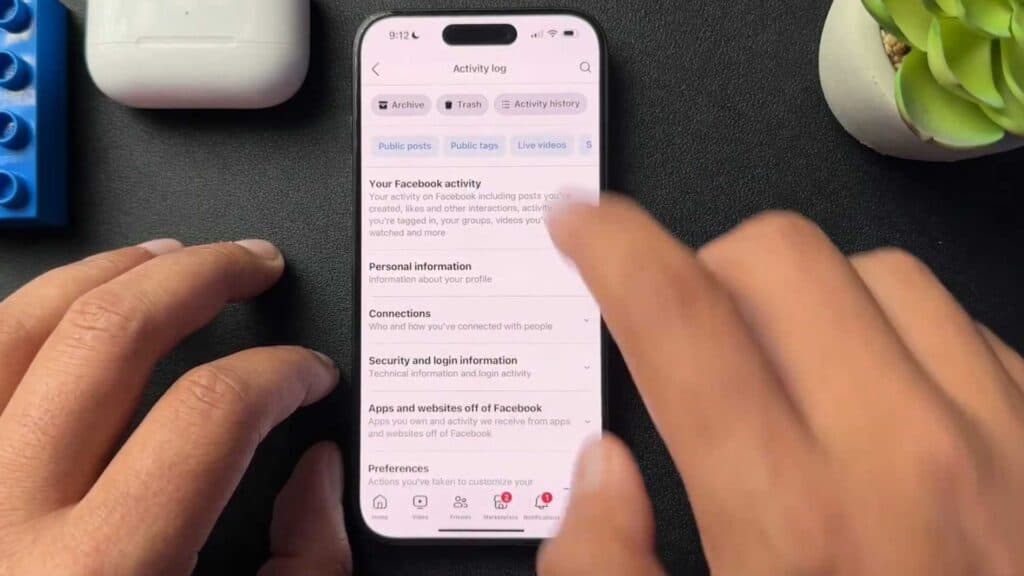
Facebook keeps a detailed record of every action you take on the platform. You can access and manage this history by checking your Activity Log.
- Open the Facebook app on your phone and tap the menu icon [0:34].
- Tap the settings gear icon located at the top of the menu screen [0:41].
- Scroll down to the “Your Activity” section and select “Activity Log” to view your history [0:48].
- Use the horizontal menu at the top of the screen to filter your activity by category, such as videos you have watched, searches you have performed, or posts you have liked.
Ninja Tip: If you want to prevent Facebook from tracking your off-Facebook activity, go to Settings & Privacy > Settings > Your Activity > Off-Facebook Activity to clear your history and disconnect future activity.
For a complete wipe of your account data, navigate to Settings > Your Information > Deactivation and Deletion.
Keep Reading


