How to Factory Reset Your Wired Google Nest Camera

By Trae Jacobs,

When you buy through our links, we may earn an affiliate commission.
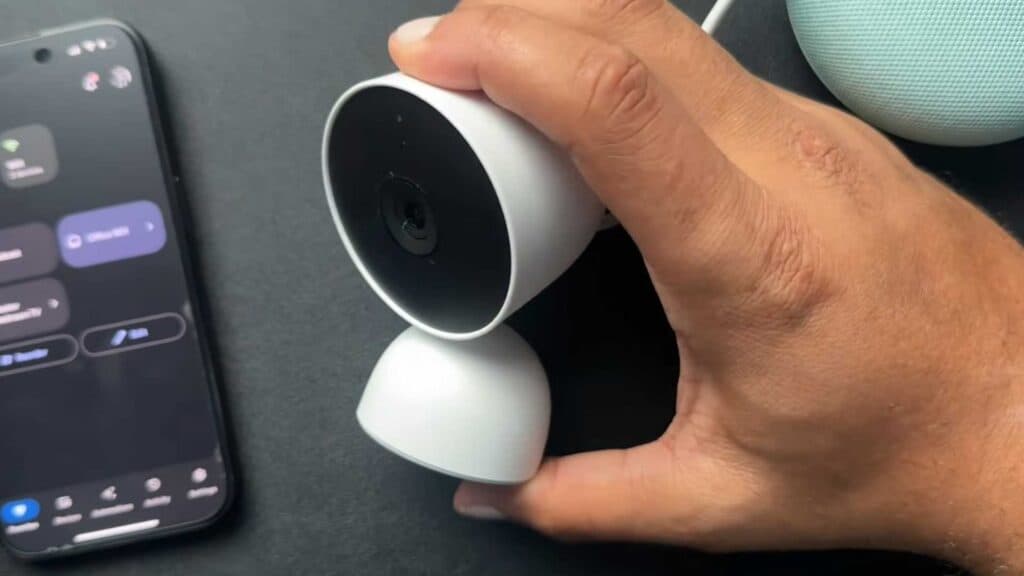
Your Google Nest Cam is unresponsive and needs a fresh start. You can resolve this issue by performing a manual factory reset.
- Locate the small reset hole positioned between the camera unit and its stand [0:14].
- Insert a small tool, like a thin Allen wrench or paperclip, into the hole to press the internal button [0:25].
- Press and hold the button firmly for 10 seconds until the camera begins the reset process [0:41].
- Wait for the green status light to appear on the device to confirm it has finished resetting and is ready for reconfiguration.
- Open your Google Home app to begin the standard setup process as if it were a brand new device.
Ninja Tip: Before resetting, check if your camera is simply experiencing a power issue by ensuring the cable is fully seated and the outlet is active. Testing a different power adapter often resolves connectivity problems without needing to wipe your settings.
If the camera remains problematic, you can also remove it from your account by navigating to Settings > Remove device within the app.
Keep Reading



