How to Factory Reset Your LG TV With or Without a Remote

By Trae Jacobs,

When you buy through our links, we may earn an affiliate commission.
Your LG TV is not responding correctly and needs a factory reset to start fresh. You can resolve this issue by following the methods outlined below.
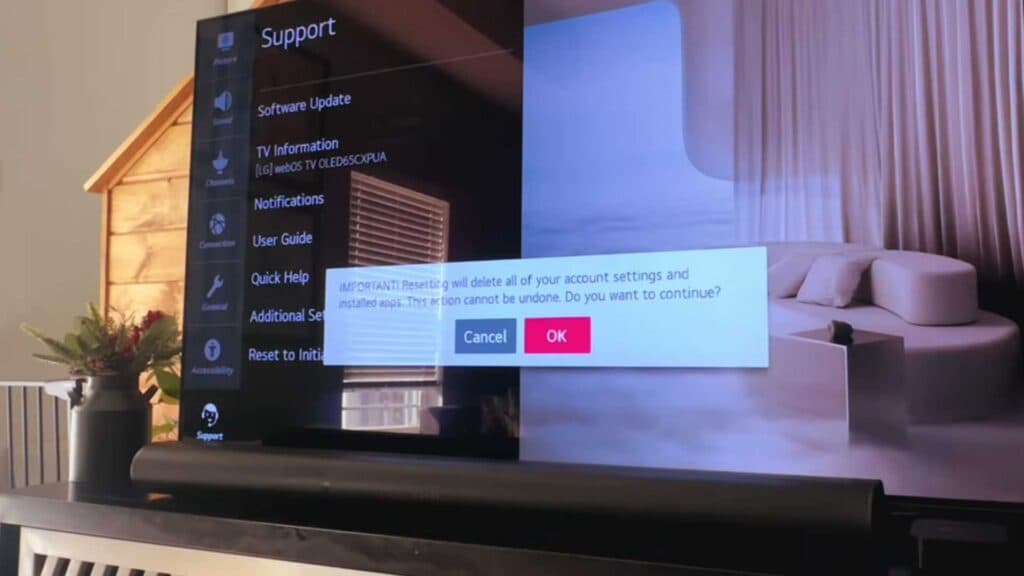
- Press the settings wheel on your remote, select “All Settings,” navigate to “Support,” and choose “Reset to Initial Settings” [0:18].
- If you do not have your remote, press and hold the power button on the TV itself for 10 to 15 seconds [1:10].
- Alternatively, press and hold the volume down and power buttons on the TV simultaneously for 10 to 15 seconds to force a hard reset [1:24].
- You can also install the LG ThinQ app on your smartphone, register your TV, and use the virtual remote to navigate to the reset menu.
Ninja Tip: Before resetting, check if a simple power cycle fixes the issue by unplugging the TV from the wall outlet for 60 seconds, which clears the cache without wiping your saved settings or account data.
To restore your TV to its original factory state, go to Settings > All Settings > Support > Reset to Initial Settings.
Keep Reading



