How to Factory Reset a GE Universal Remote

By Trae Jacobs,

When you buy through our links, we may earn an affiliate commission.
Your GE universal remote is unresponsive or failing to control your devices correctly. You can resolve these configuration issues by performing a full factory reset.
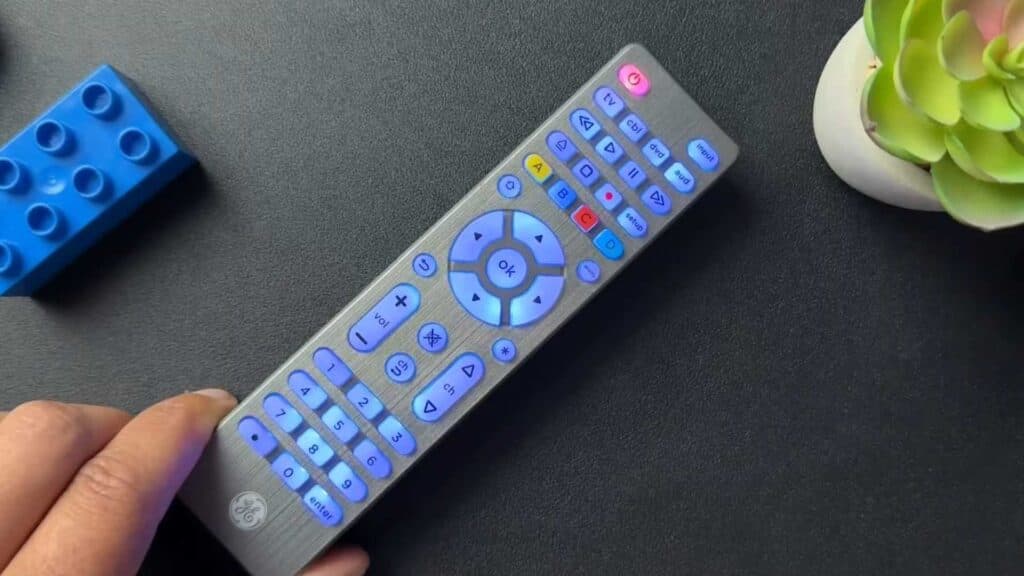
- Press and hold the Setup button until the red light on the power button stays lit [0:26].
- Tap the Mute button once [0:41].
- Press the zero button to complete the reset process [0:45]. The red light should blink twice to confirm the remote is restored to its original factory settings [0:49].
Ninja Tip: If the remote still acts up after a reset, open the battery compartment and remove the batteries for 30 seconds to drain any remaining residual power. This often clears out temporary glitches that a standard button-sequence reset might miss.
If the remote remains unresponsive after these steps, verify that your batteries are fresh and properly seated.
Keep Reading


