How to Enable Whisper Mode on Alexa

By Trae Jacobs,

When you buy through our links, we may earn an affiliate commission.
Your Alexa device responds at full volume when you whisper to it. You can enable Whisper mode to ensure your smart speaker responds in a softer, quieter voice.
- You can toggle the feature on or off by simply asking Alexa, “Can you turn on whisper mode?” [0:30]
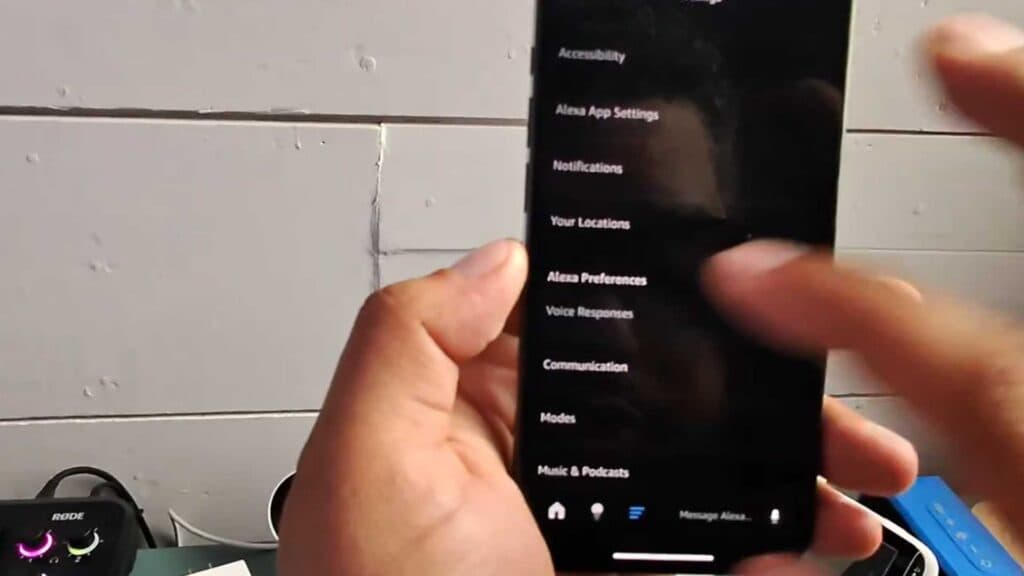
- To manually adjust this setting, open the Alexa app and go to the Settings menu [0:53].
- Tap Settings again, select Alexa Preferences, and then choose Voice Responses [0:57].
- Locate the Whisper Mode toggle and turn it on so your device will whisper back when you whisper to it.
Ninja Tip: If Alexa isn’t picking up your whispers, check if the device’s microphone is unobstructed and consider speaking closer to the unit, as low-volume input can sometimes be harder for the hardware to detect.
If you continue to experience audio issues, perform a factory reset by navigating to Settings > Device Options > Reset to Factory Defaults.
Keep Reading


