How to Enable HDMI CEC (Anynet+) on Samsung TVs

By Trae Jacobs,

When you buy through our links, we may earn an affiliate commission.
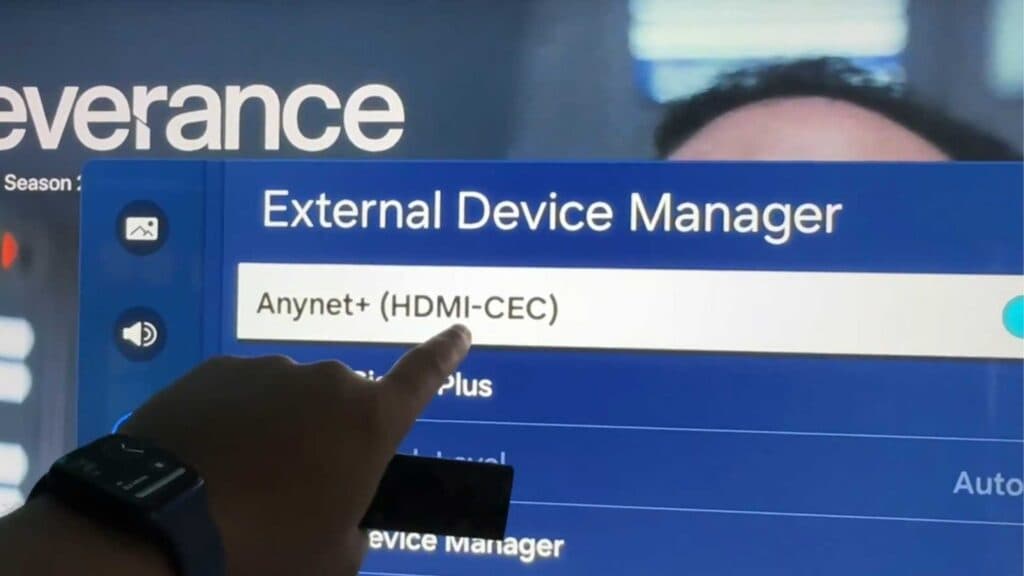
Your Samsung TV remote does not control your connected devices. You can resolve this by enabling the HDMI CEC setting in your TV menu.
- Press the home button on your remote, navigate to Settings, scroll to your active input device, and toggle on Anynet+ (HDMI-CEC). [1:06]
- For older TV models, go to Settings, select All Settings, navigate to Connection, choose External Device Manager, and turn on Anynet+ (HDMI-CEC).
Ninja Tip: If your devices still aren’t talking to each other, unplug your HDMI cable from both the TV and the external device for 60 seconds to perform a power cycle on the handshake protocol.
If these steps do not restore control, perform a reset by going to Settings > General > Reset.
Keep Reading



