How to Enable Closed Captions on Your Samsung TV

By Trae Jacobs,

When you buy through our links, we may earn an affiliate commission.
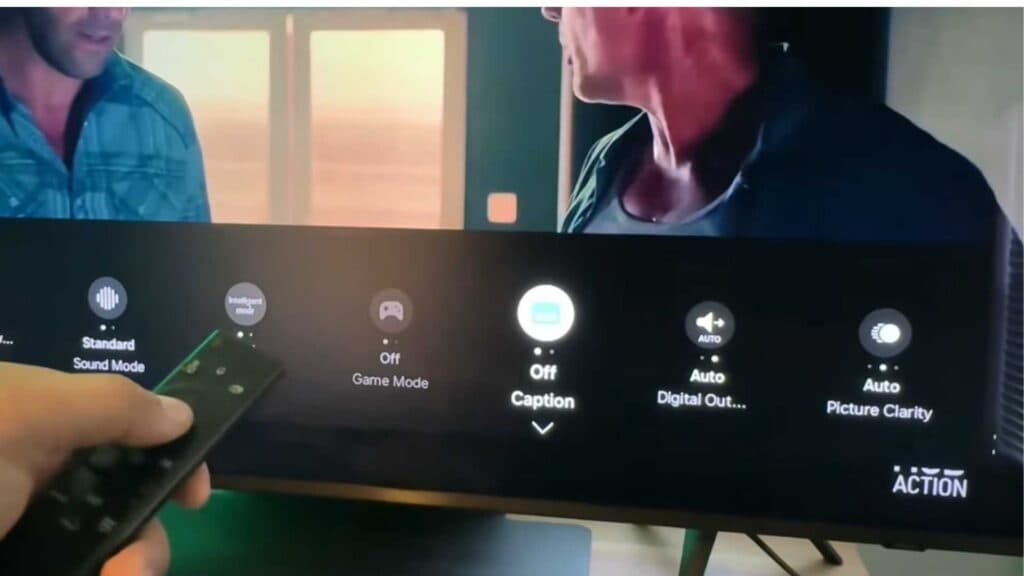
Your Samsung TV is currently playing shows without closed captions enabled. You can follow these steps to turn them on for your specific TV model.
- Press the Home button on your remote, navigate to Settings, and toggle the Caption option on or off as needed. [0:13]
- If you need more control, go to All Settings, select General and Privacy, and then open the Accessibility menu to adjust your caption preferences. [0:44]
- If you are using a streaming app like Netflix, open the app’s internal menu while the video is playing to select your preferred subtitle settings directly from the player controls. [1:42]
Ninja Tip: If your captions still aren’t appearing, check your TV’s “Accessibility Shortcuts” menu, which often allows you to toggle captions instantly by holding down the volume or mute button on your remote.
If these steps do not resolve your issue, you can perform a factory reset by navigating to Settings > General > Reset.
Keep Reading


