How to Disable Raise to Wake on iPhone

By Trae Jacobs,

When you buy through our links, we may earn an affiliate commission.
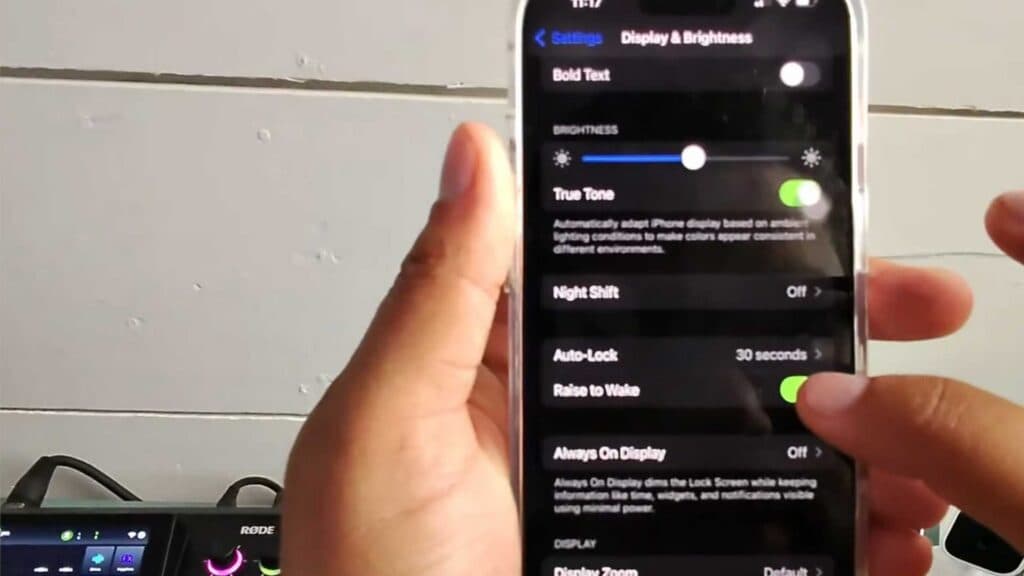
Your iPhone screen turns on every time you pick up your device. You can stop this behavior by adjusting your display settings.
- Open the Settings app on your iPhone [0:16].
- Scroll down and tap on Display & Brightness [0:22].
- Toggle off the Raise to Wake switch to disable the feature [0:30].
Ninja Tip: If you want your phone to wake only when you touch it, enable “Tap to Wake” under Settings > Accessibility > Touch, which allows you to wake the screen with a single tap rather than using the side button.
If these settings do not resolve the issue, you can perform a reset of your preferences via Settings > General > Transfer or Reset iPhone > Reset > Reset All Settings.
Keep Reading



