How to Disable Motion Alerts and Customize Settings on Ring Cameras

By Trae Jacobs,

When you buy through our links, we may earn an affiliate commission.
Your Ring camera sends constant motion notifications to your phone. You can disable these alerts or adjust your detection preferences to stop them.
- Open the Ring app and select the specific camera you want to manage from your device list. [0:10]
- Open the camera settings and toggle off the “Motion Detection” switch at the top to stop all alerts. [0:26]
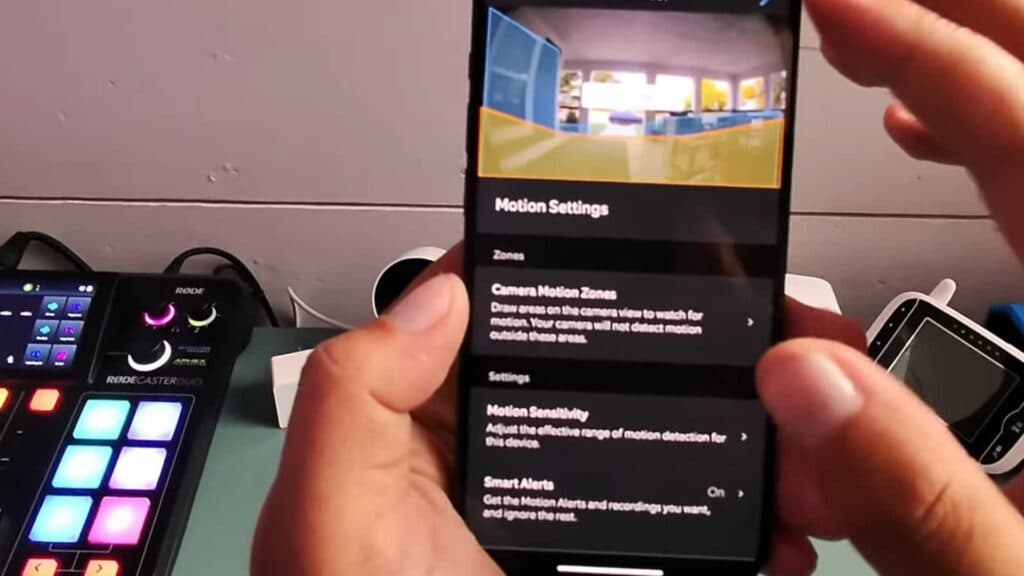
- Select “Motion Settings” to manually adjust your detection zones by editing the active areas on your screen. [0:38]
- Adjust the motion sensitivity slider to change how easily your camera triggers an alert. [0:52]
- Tap on “Schedules” to set specific time frames when you want motion alerts turned off automatically. [1:12]
Ninja Tip: Check your “Smart Alerts” settings in the Ring app to distinguish between people and other motion, which can significantly reduce the number of unnecessary notifications without turning off detection entirely.
If you still receive unwanted alerts, perform a device reset by going to Settings > Device Health > Reconnect or Change Wi-Fi Network.
Keep Reading



