How to Disable Drop-In on Your Alexa Echo Devices

By Trae Jacobs,

When you buy through our links, we may earn an affiliate commission.
Approved contacts are currently able to connect to your Echo devices and start a conversation at any time. You can restrict this access and regain your privacy by adjusting your device settings.
- Open the Alexa app on your phone and tap the Devices icon at the bottom of the screen [0:24].
- Tap the Device type filter, select Echo & Alexa, and hit Apply to view your list of devices [0:32].
- Choose the specific device you want to manage and tap the Settings cog wheel in the top corner [0:46].
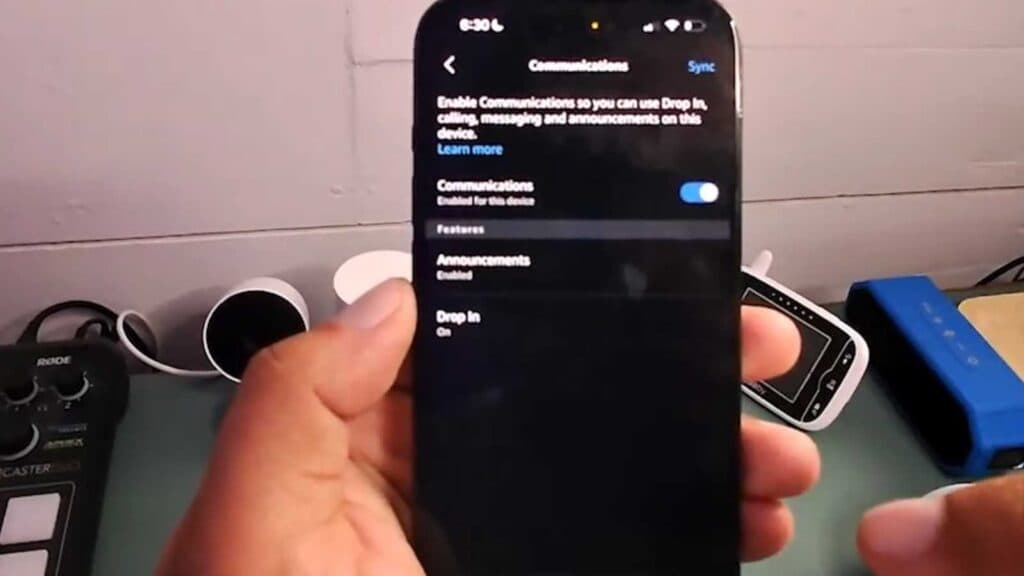
- Scroll down to select Communications to view your calling and messaging options [0:53].
- Tap on Drop In and choose either My Family to limit access to your account devices or Off to disable the feature entirely for everyone.
Ninja Tip: You can also manage your general Drop-In permissions for all your devices at once by going to Communication > Drop In in the main Alexa app settings menu instead of configuring each device individually.
If you still experience unauthorized connections, perform a full device deregistration by navigating to Settings > [Your Device Name] > Deregister.
Keep Reading


