How to Delete Instagram Posts from Your Profile

By Trae Jacobs,

When you buy through our links, we may earn an affiliate commission.
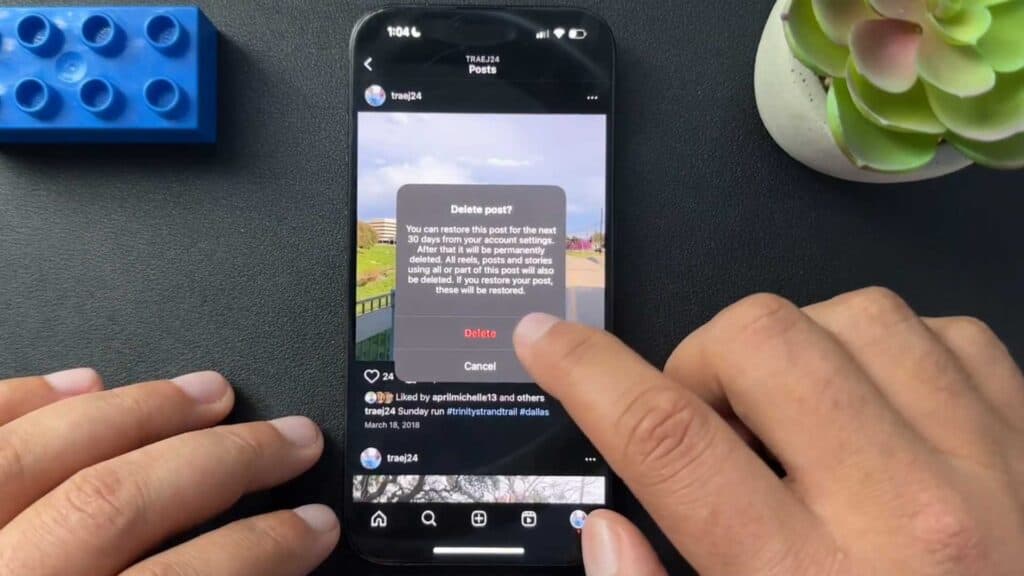
You have an Instagram post on your profile that you no longer want others to see. You can remove it permanently by following these simple steps.
- Open the Instagram app on your phone and tap on your profile icon to view your feed. [0:07]
- Select the specific post you want to remove. [0:19]
- Tap the three dots in the top corner of the screen to open the menu. [0:28]
- Select the delete option at the bottom of the menu and confirm your choice to remove the post. [0:31]
Ninja Tip: If you aren’t sure about deleting a post permanently, try the “Archive” feature instead; it hides the post from your public profile while keeping the image and engagement data saved in a private folder for you to restore later.
If you want to clear your entire account, you can deactivate or delete it by going to Settings > Account Center > Personal Details > Account Ownership and Control.
Keep Reading



