How to Delete a Facebook Story Before the 24-Hour Limit

By Trae Jacobs,

When you buy through our links, we may earn an affiliate commission.
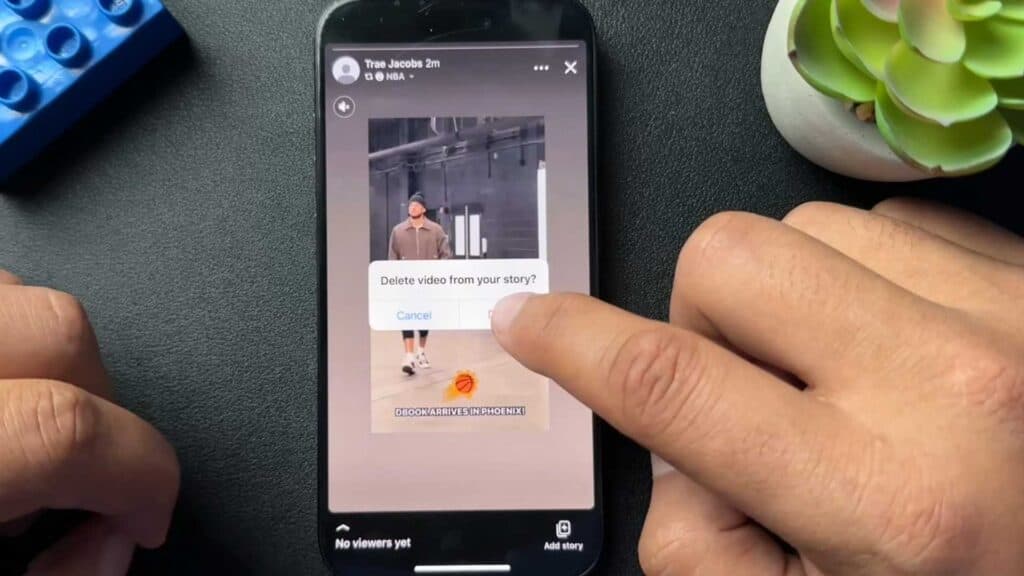
Your Facebook story is currently visible to others and you need to remove it. You can delete your story from your profile in a few simple steps.
- Open the Facebook app and tap on the story labeled Your Story at the very top of your feed [0:18].
- Select the three-dot menu icon in the upper right corner of the screen [0:29].
- Tap on Delete video and confirm by hitting Delete to permanently remove the content from your feed [0:35].
Ninja Tip: To prevent others from seeing your future updates, you can adjust your story privacy settings by tapping the three-dot menu on your story and selecting Edit story privacy to restrict your audience to Friends or a custom list.
If you are unable to remove the content through the app, navigate to Settings & Privacy > Settings > Your Information > Activity Log to manage or delete your posts.
Keep Reading



