How to Delete a Contact on iPhone

By Trae Jacobs,

When you buy through our links, we may earn an affiliate commission.
Your iPhone contact list is cluttered with people you no longer need to reach. You can remove these unwanted contacts directly from your device.
- Open the Phone app and tap the Contacts tab at the bottom of the screen [0:18].
- Select the specific contact you want to remove from your list [0:23].
- Tap the Edit button located in the top right corner of the contact profile [0:28].
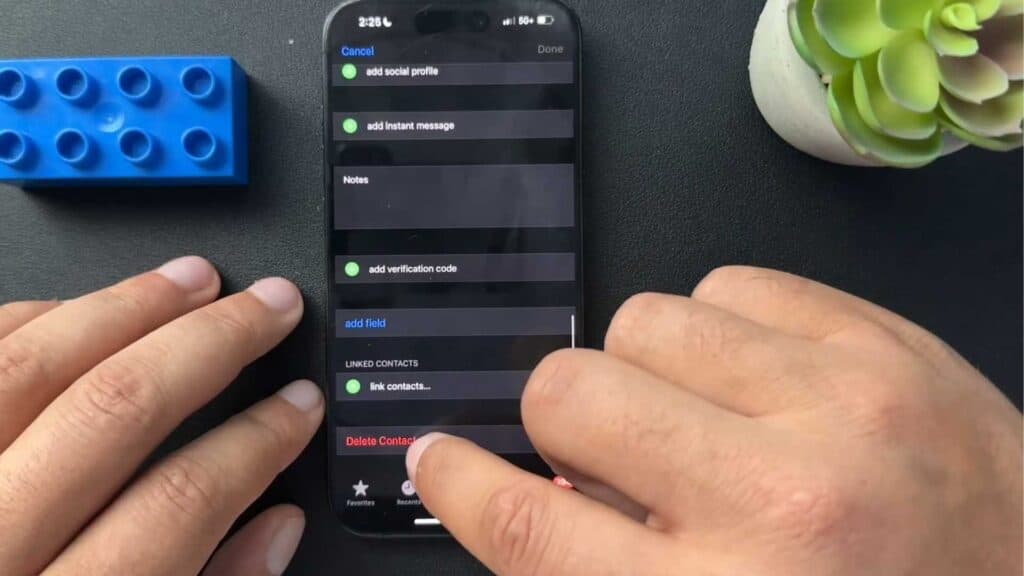
- Scroll to the very bottom of the page, select Delete Contact, and confirm your choice to remove them from your phone.
Ninja Tip: If you have multiple contacts that need to go, you can manage and delete them in bulk by logging into iCloud.com on a computer, where you can select multiple entries at once to remove them efficiently.
If you need to wipe all your data, go to Settings > General > Transfer or Reset iPhone > Erase All Content and Settings.
Keep Reading



