How to Create a Group Chat on Instagram

By Trae Jacobs,

When you buy through our links, we may earn an affiliate commission.
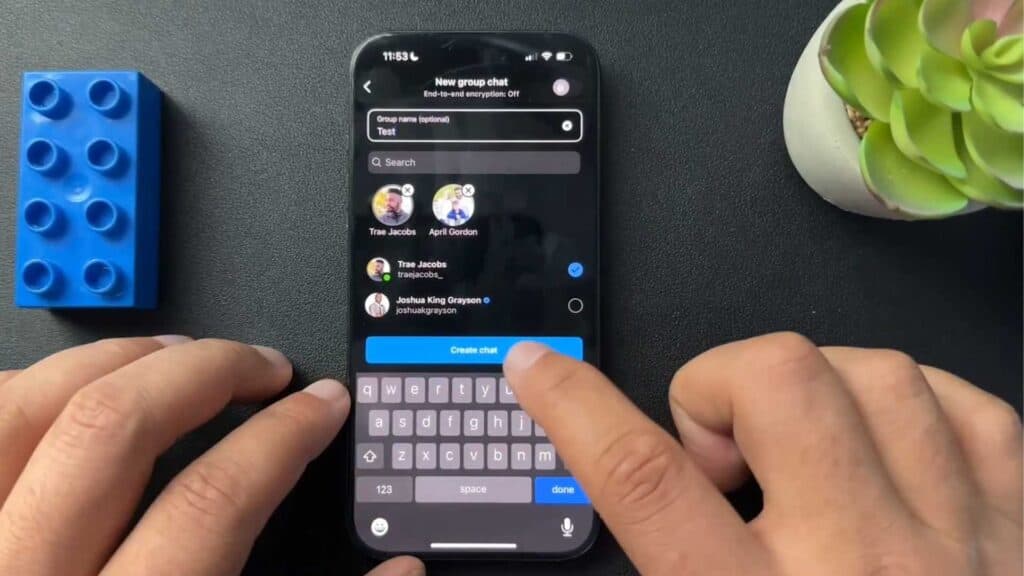
You are trying to start a group conversation on Instagram but do not see how to set it up. You can create a new group chat in just a few simple steps.
- Open the Instagram app and tap on the messages icon in the top right corner [0:13].
- Select the ‘create new’ button located in the upper right hand corner [0:19].
- Tap ‘create a group chat’ and select the people you want to include [0:25]. You generally need to have a mutual follow relationship with these people to add them to the group.
- Type in a name for your group chat, then hit create to start your conversation.
Ninja Tip: You can easily add more people to your group later by tapping the group name at the top of the chat and selecting ‘Add People.’
If the app stops responding or behaves unexpectedly, try clearing the cache in your phone’s settings under Apps > Instagram > Storage > Clear Cache.
Keep Reading



