How to Control Your Samsung TV Without a Remote

By Trae Jacobs,

When you buy through our links, we may earn an affiliate commission.
You lost your remote and cannot operate your Samsung TV. You can regain full control of your device using these alternative methods.
- Connect a standard USB keyboard to any USB port on the back of your TV to navigate the on-screen menus [0:20].
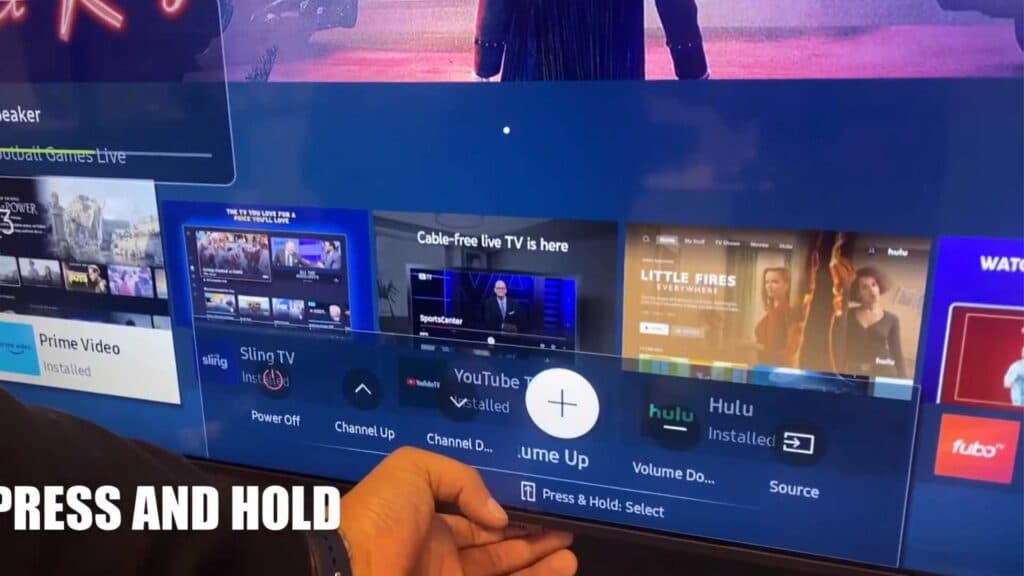
- Use the physical power or menu button located underneath your TV to power it on and cycle through the basic options [0:39].
- Download and open the Samsung SmartThings app on your smartphone to manage your TV settings and channels wirelessly [1:13].
- Select your TV within the app to access the virtual remote, which allows you to adjust the volume, change channels, and navigate the home menu using swipe gestures [1:27].
- Purchase a universal remote control as a permanent replacement for your lost original.
Ninja Tip: If your TV is not appearing in the SmartThings app, ensure both your phone and your TV are connected to the exact same Wi-Fi network.
Perform a factory reset by navigating to Settings > General > Reset.
Keep Reading



