How to Connect Your Sony Bravia Android TV to Wi-Fi

By Trae Jacobs,

When you buy through our links, we may earn an affiliate commission.
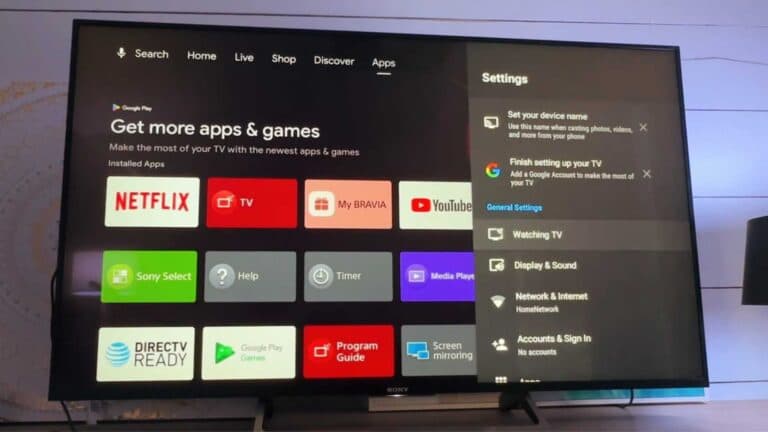
Your Sony Bravia TV is not connected to the internet. You can fix this by updating your network settings.
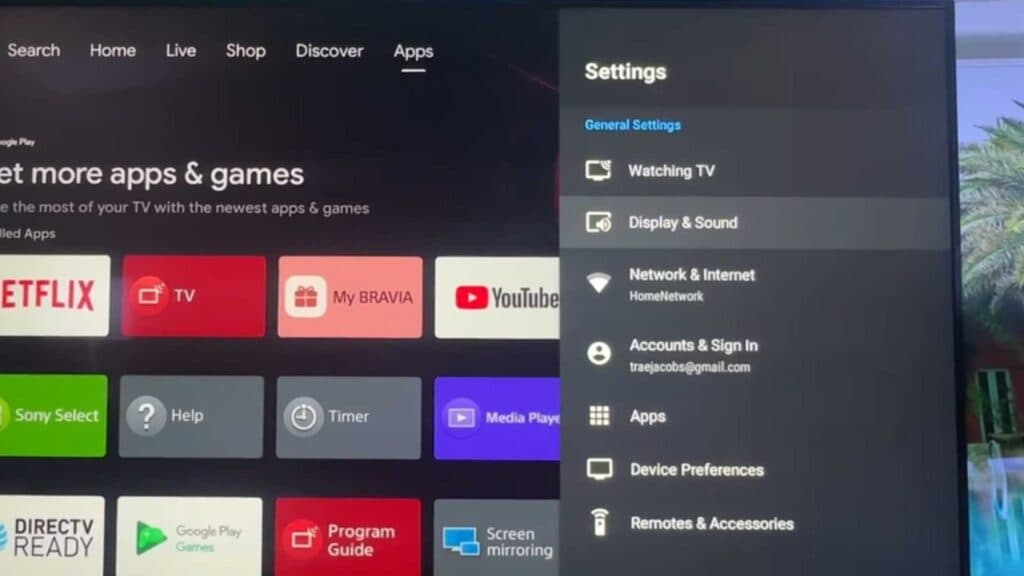
- Open the Settings menu on your TV using your remote [0:20].
- Navigate down and select Network & internet [0:29].
- Ensure your Wi-Fi toggle is set to On [0:36].
- Select your preferred network from the list of available connections [0:41].
- Enter your network password to finalize the connection.
Ninja Tip: If you notice slow streaming speeds, try changing your router’s Wi-Fi channel to a less crowded frequency or use a 5GHz band if your router supports it. These adjustments often clear up interference that a standard connection setup cannot address.
If you still cannot connect, perform a factory reset by going to Settings > Device Preferences > Reset > Factory data reset.
Keep Reading