How to Connect Your Roku Device to Wi-Fi

By Trae Jacobs,

When you buy through our links, we may earn an affiliate commission.
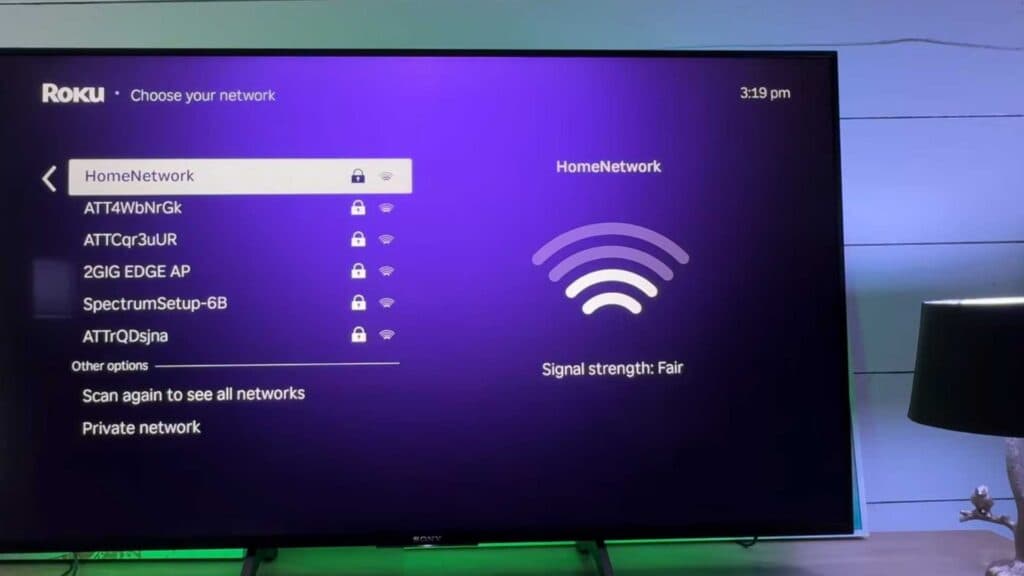
Your Roku device is not currently connected to the internet. You can resolve this connection issue by following these steps.
- Go to the Settings menu on your home screen and select Network [0:17].
- Choose Set up connection and then select Wireless [0:24].
- Select your wireless network from the list of discovered networks [0:35].
- Enter your wireless password and select Connect [0:49].
- If you are still experiencing connectivity problems, go to Settings then System and select Advanced system settings to perform a Network connection reset.
Ninja Tip: If your Roku keeps dropping the connection, try changing your router’s Wi-Fi channel from ‘Auto’ to a fixed channel like 1, 6, or 11 in your router settings to reduce signal interference.
For a full factory reset, navigate to Settings > System > Advanced system settings > Factory reset.
Keep Reading



