How to Connect Your Arlo Camera to the App

By Trae Jacobs,

When you buy through our links, we may earn an affiliate commission.
Your Arlo camera is not showing up in your app and isn’t connected to your Wi-Fi network. You can follow these steps to pair your device and get it online.
- Open the Arlo app, tap the plus sign, and select “Add a Device.”
- Choose your camera model from the list so the app knows which device you are setting up. [0:24]
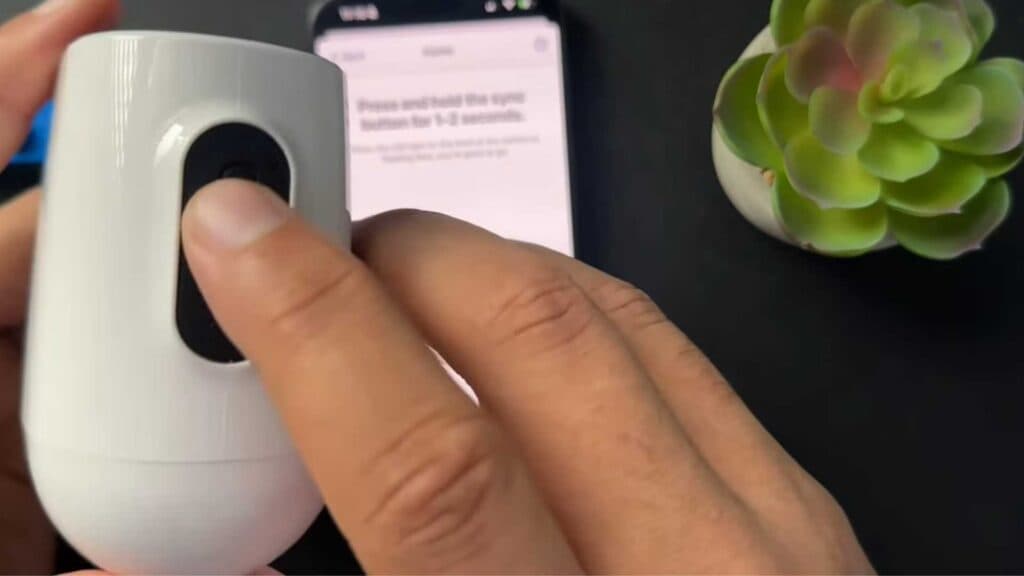
- Press and hold the sync button on your camera until you see the indicator light begin to blink. [0:43]
- Hold your phone’s screen with the QR code directly in front of the camera lens until you hear a chime confirming it has scanned successfully. [0:55]
- Once the app finds your camera, enter a name for the device and follow the remaining on-screen prompts to finish the setup process.
Ninja Tip: If the camera fails to scan the QR code, ensure your phone screen brightness is set to 100% and clean the camera lens with a microfiber cloth to remove any smudges or dust.
If you still cannot connect, perform a factory reset by holding the reset button on the camera for 15 seconds, then try the pairing process again.
Keep Reading


