How to Connect Bluetooth Headphones to Your Fire TV

By Trae Jacobs,

When you buy through our links, we may earn an affiliate commission.
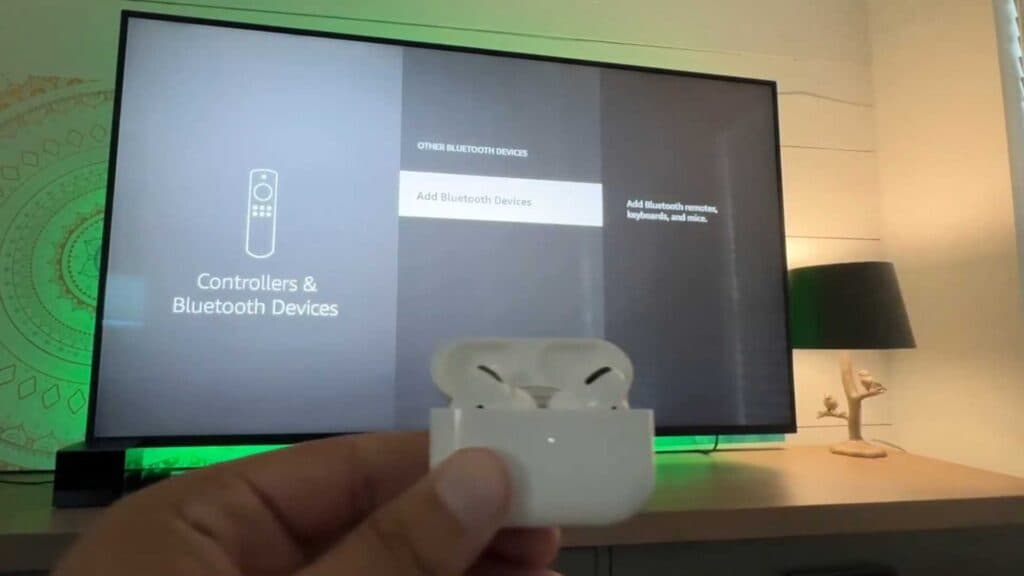
You are unable to hear your Fire TV audio through your Bluetooth headphones. You can fix this by pairing your device directly through your television settings.
- Use your remote to navigate to the Settings menu on the far right side of your home screen. [0:15]
- Select Controllers and Bluetooth Devices from the list of options. [0:25]
- Choose Other Bluetooth Devices to begin searching for your hardware. [0:36]
- Put your headphones into pairing mode by holding down the designated button on the device.
- Select your headphones from the list on the screen to connect them to the system.
Ninja Tip: If you notice audio delay while watching, check your Fire TV Settings > Display & Sounds > Audio > AV Sync Tuning to manually adjust the lip-sync timing.
If you still encounter issues, navigate to Settings > My Fire TV > Reset to Factory Defaults.
Keep Reading


