How to Connect Apple AirPods to a Samsung TV

By Trae Jacobs,

When you buy through our links, we may earn an affiliate commission.
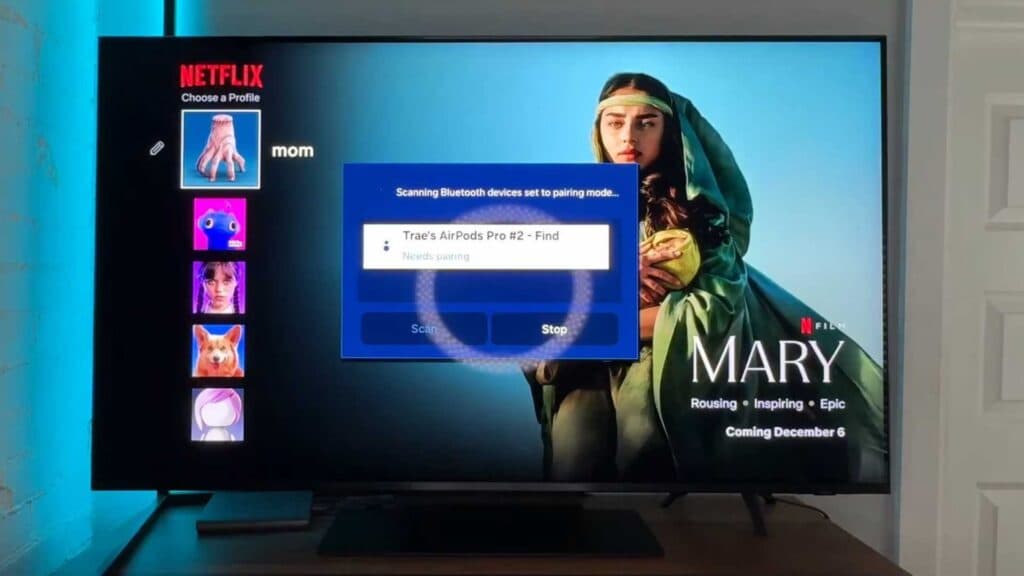
Your AirPods are not playing sound from your Samsung TV. You can connect them through your TV settings using these steps.
- Open the Settings menu on your television [0:10].
- Navigate to the Bluetooth section and select it [0:18].
- Press and hold the button on the back of your AirPods case until the indicator light turns white and stays on [0:28].
- Select your AirPods from the list of available devices on your TV screen [0:46].
- Choose the pair and connect option to finish the setup.
Ninja Tip: If your audio sounds out of sync, go to your TV sound settings and look for an Audio Delay or AV Sync adjustment to align the sound with the video.
If the connection still fails, perform a factory reset by navigating to Settings > General > Reset.
Keep Reading


