How to Choose Budget Smart Home Security Cameras

By Trae Jacobs,

When you buy through our links, we may earn an affiliate commission.
Your home lacks visible security and you need an affordable way to monitor your property. You can easily install smart security cameras to solve this.
- Decide whether you need individual smart security cameras or a comprehensive smart security system [0:24]. Individual cameras are a lower-cost starting point, while systems often include professional installation and dedicated packages [0:30-0:37].
- If you plan to upgrade to a full security system later, stick to one brand like Ring or SimplySafe [0:55-1:02]. This ensures your current cameras will be compatible with the future system [0:58].
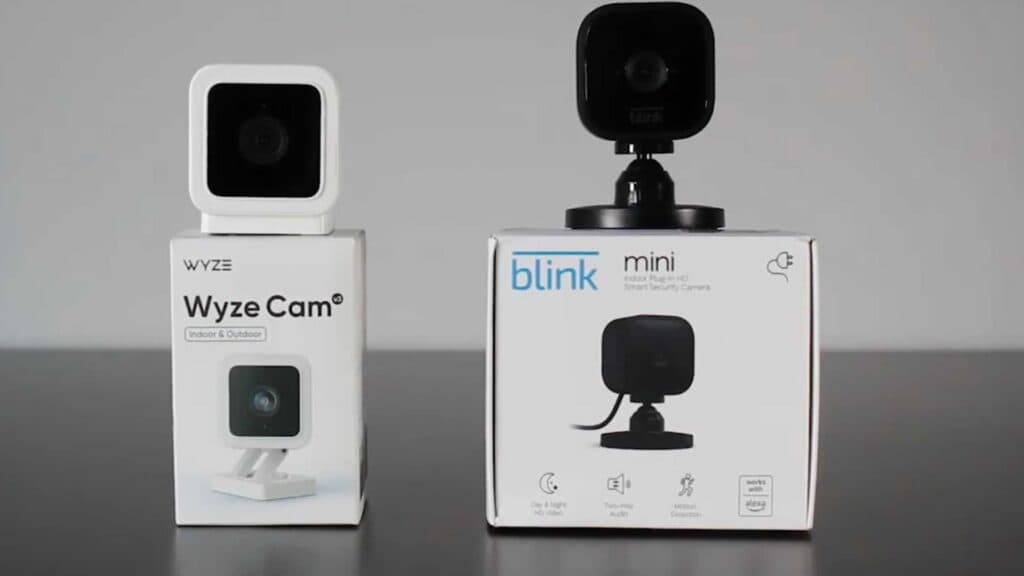
- Choose between budget cameras like the Wyze Cam V3 or the Blink Mini [1:05-1:10]. The Wyze option has lower subscription costs, while the Blink camera features a lower initial purchase price [1:14-1:17].
- Use your smartphone app or web dashboard to access live video feeds [1:22]. This allows you to check on your home, pets, or packages whenever you are away.
- Look into premium brands such as Arlo or Nest if you want higher-end camera features and video quality [1:40].
Ninja Tip: Increase your camera security by enabling two-factor authentication on your account settings to prevent unauthorized video access. This simple step is the most effective way to secure your smart home devices from hackers.
If these cameras still fail to connect to your network, perform a factory reset using the physical reset button located on the device.
Keep Reading

