How to Check Your iPhone AppleCare Warranty Status

By Trae Jacobs,

When you buy through our links, we may earn an affiliate commission.
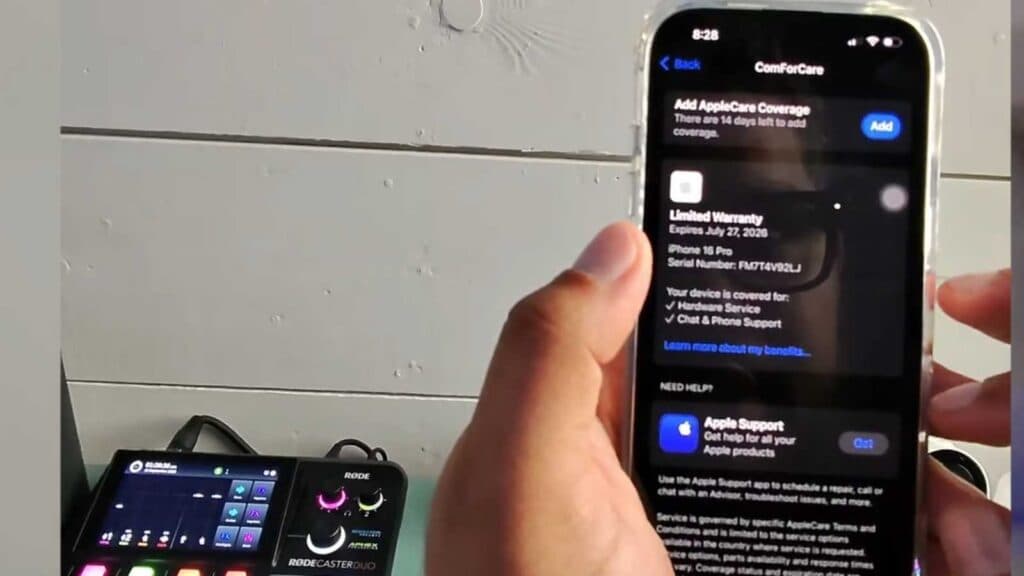
You do not know whether your iPhone or other Apple device is still covered by AppleCare. You can find this information directly in your device settings in just a few moments.
- Open the Settings app on your iPhone. [0:17]
- Scroll down and tap on General. [0:22]
- Select AppleCare & Warranty to view the status of all your connected Apple devices. [0:26]
- Review the coverage details for each device, which will indicate if your warranty is active, expired, or eligible for additional coverage.
Ninja Tip: If you cannot find your device in the list, visit checkcoverage.apple.com and enter your device’s serial number to see the coverage status manually.
If you have persistent issues with your device settings, navigate to Settings > General > Transfer or Reset iPhone > Erase All Content and Settings.
Keep Reading



