How to Check Your AirPods Pro Battery Life While Wearing Them

By Trae Jacobs,

When you buy through our links, we may earn an affiliate commission.
You are currently wearing your AirPods and do not know their remaining battery level. You can check the exact percentage in just a few seconds.
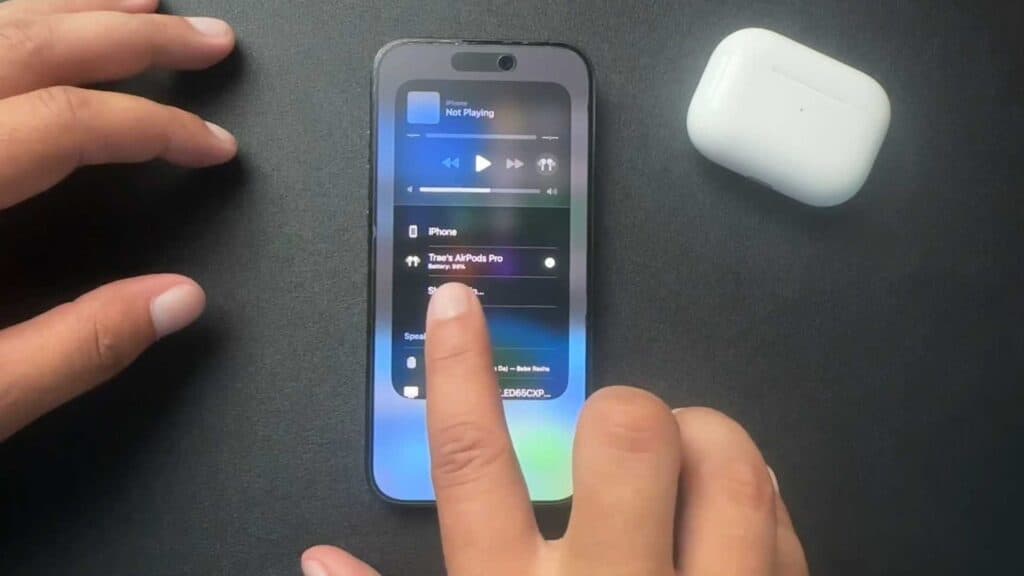
- Open the Command Center on your iPhone by swiping down from the top-right corner of your screen [0:24].
- Tap the small AirPods icon located within the media playback widget at the top of the screen [0:46].
- View the specific battery percentage for your AirPods and their case on the display.
Ninja Tip: Add the Batteries widget to your Home Screen or Today View for instant access to your AirPods and iPhone battery levels without needing to open the Command Center.
If your battery readings appear incorrect, navigate to Settings > Bluetooth > [Your AirPods Name] > Forget This Device and re-pair your AirPods.
Keep Reading


