How to Check, Charge, and Change the Battery on a Ring Stick Up Cam

By Trae Jacobs,

When you buy through our links, we may earn an affiliate commission.
Your Ring Stick Up Cam has a low battery level. You can fix this power issue by following the steps below.
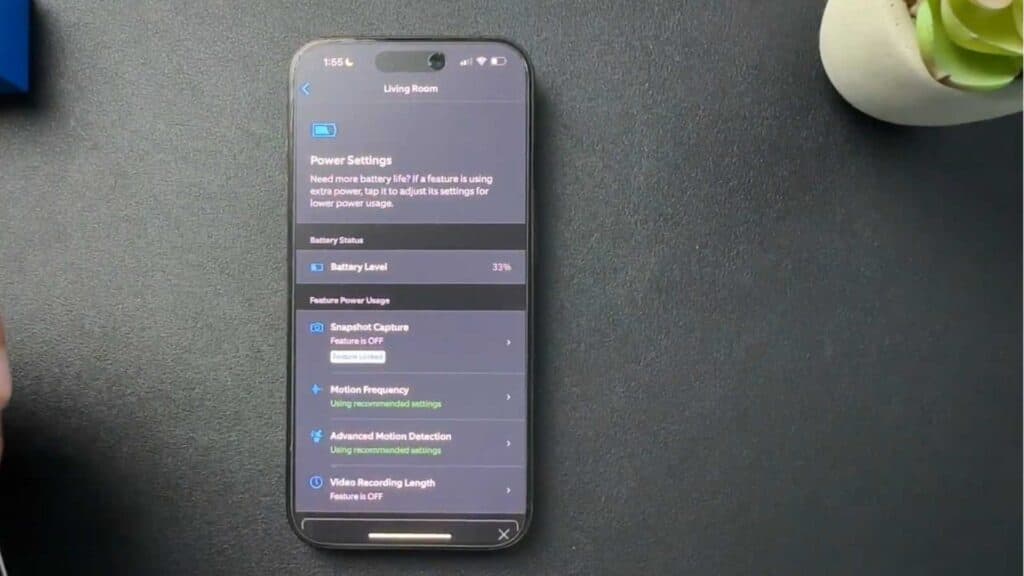
- Open the Ring app on your phone to view your camera and open the Settings menu [0:21].
- Scroll down to select Power Settings to see the current percentage of your battery [0:28].
- Twist the back of the camera to the unlock position and pull the bottom cover off [0:55].
- Push the silver release tab down to pop the battery pack out of the device [1:11].
- Plug a micro USB cable into the battery to charge it until the red light turns off.
Ninja Tip: Consider buying a spare battery pack so you can swap it in immediately, which keeps your camera active while the empty one charges.
If the camera still fails to power on, perform a full reset via Settings > Device Health > Reconnect Device or Setup Mode.
Keep Reading



