How to Change Your Roku Account

By Trae Jacobs,

When you buy through our links, we may earn an affiliate commission.
Your Roku device is linked to a single account that cannot be switched or swapped for another user profile. You must perform a factory reset on your device to sign in with a different Roku account.
- Go to your Roku settings and select System [1:04].
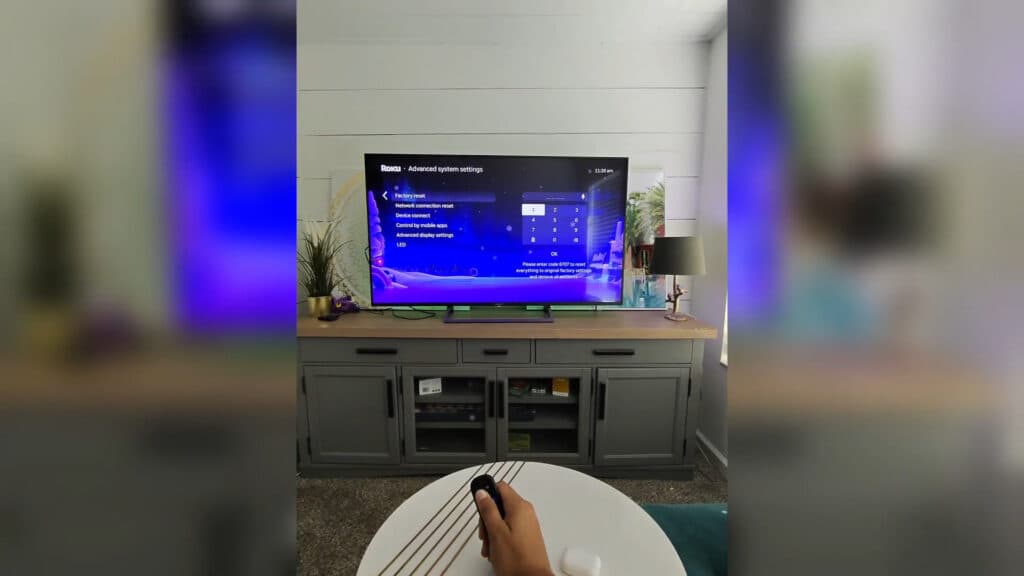
- Navigate to Advanced system settings and select Factory reset [1:10].
- Enter your unique security code to confirm the reset and remove all existing account information.
- Follow the on-screen prompts to set up your device as new and link your preferred Roku account.
Ninja Tip: If you only need to change your payment details or update subscription billing, log in to your account at my.roku.com from a web browser instead of resetting your device.
To perform a factory reset, navigate to Settings > System > Advanced system settings > Factory reset.
Keep Reading



