How to Change Your Default Web Browser on Mac

By Trae Jacobs,

When you buy through our links, we may earn an affiliate commission.
Your computer uses the wrong browser when you click links in your email. You can adjust your system settings to fix this problem.
- Open Google Chrome, click the three dots in the corner, select Settings, navigate to Search engine, and choose your preferred option like DuckDuckGo [0:46].
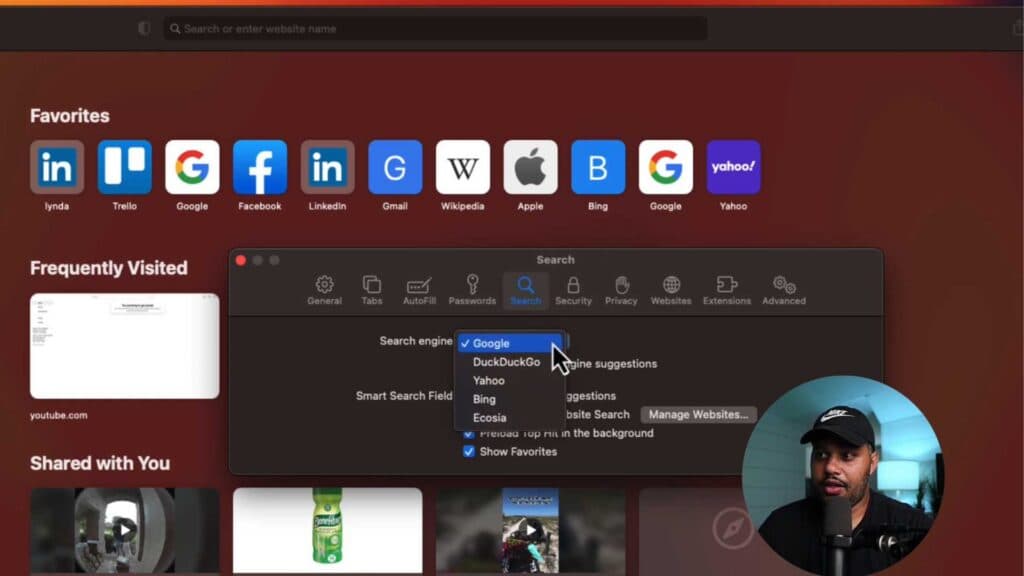
- Launch Safari, click Safari in the top menu bar, select Settings, open the Search tab, and set your desired search engine from the dropdown menu [1:38].
- Click the Apple menu, open System Settings, select Desktop & Dock, and choose your preferred web browser from the Default web browser menu.
Ninja Tip: To prevent your browser from tracking your activity, look for Privacy or Security settings to enable anti-tracking features like Intelligent Tracking Prevention.
For a full system refresh, navigate to System Settings > General > Transfer or Reset > Erase All Content and Settings.
Keep Reading



