How to Change Your Alexa Wake Word

By Trae Jacobs,

When you buy through our links, we may earn an affiliate commission.
Your Amazon Echo device currently responds to the name “Alexa” every time you speak. You can change this to a different wake word by adjusting the settings in your app.
- Open the Alexa app on your phone and tap the “Devices” icon at the bottom of the screen. [0:19]
- Select “Echo & Alexa” and choose the specific device you want to update. [0:25]
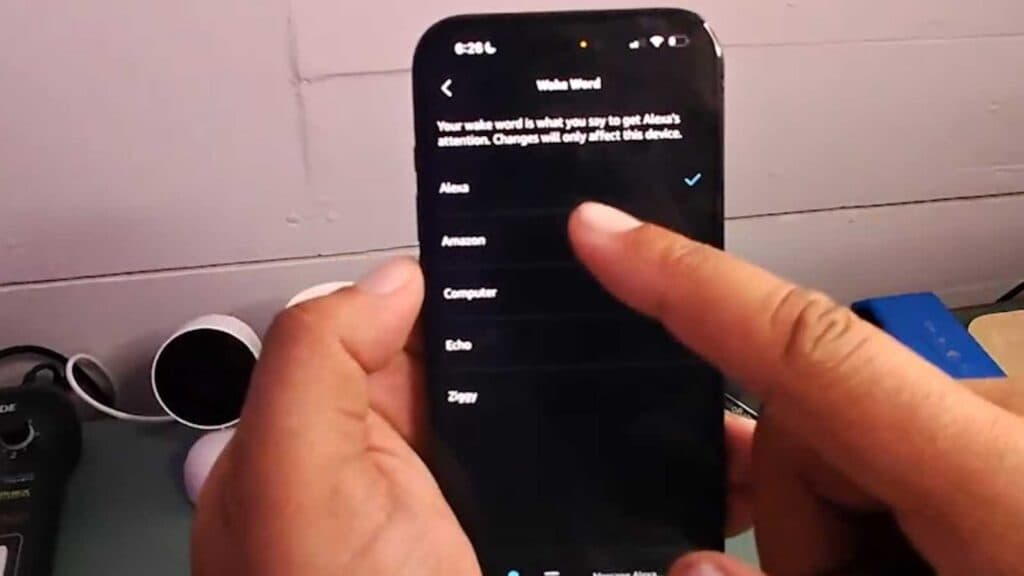
- Tap the settings gear icon in the top-right corner, then scroll down and select “Wake Word.” [0:44]
- Choose your new preferred wake word from the list and tap “OK” to save your changes.
Ninja Tip: If you have multiple Echo devices in the same room or nearby, assign each one a different wake word to prevent them from all waking up simultaneously when you give a command.
If the device fails to update or respond, you can perform a factory reset by following the device-specific instructions found in Settings > Help & Feedback > Help.
Keep Reading


