How to Change the Wi-Fi Network on Your Echo Show 15

By Trae Jacobs,

When you buy through our links, we may earn an affiliate commission.
Your Echo Show 15 is connected to the wrong Wi-Fi network. You can change your network settings directly on the device screen.
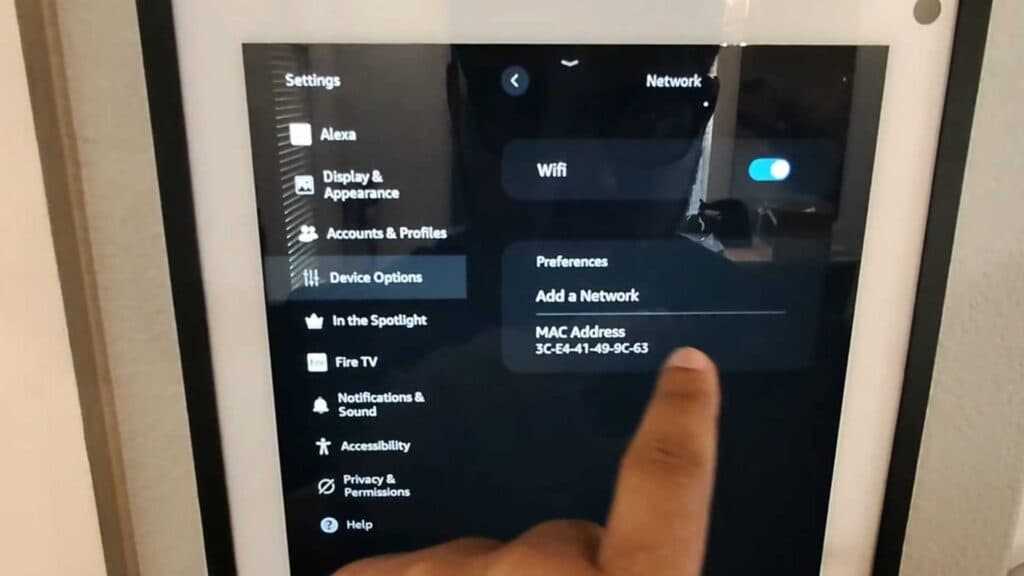
- Swipe down from the top of your screen to access the menu and tap Settings [0:15].
- Open Device Options within the settings menu [0:22].
- Select Network from the top of the list [0:28].
- Choose your new Wi-Fi network from the list of available connections, enter your password, and tap connect.
Ninja Tip: If your device struggles to find your network, try restarting your home router or ensuring your Echo Show is within range of your 2.4GHz or 5GHz signal band.
If you still cannot connect, you can perform a factory reset by going to Settings > Device Options > Reset to Factory Defaults.
Keep Reading




