How to Change the Wi-Fi Network on Meta Ray-Ban Smart Glasses

By Trae Jacobs,

When you buy through our links, we may earn an affiliate commission.
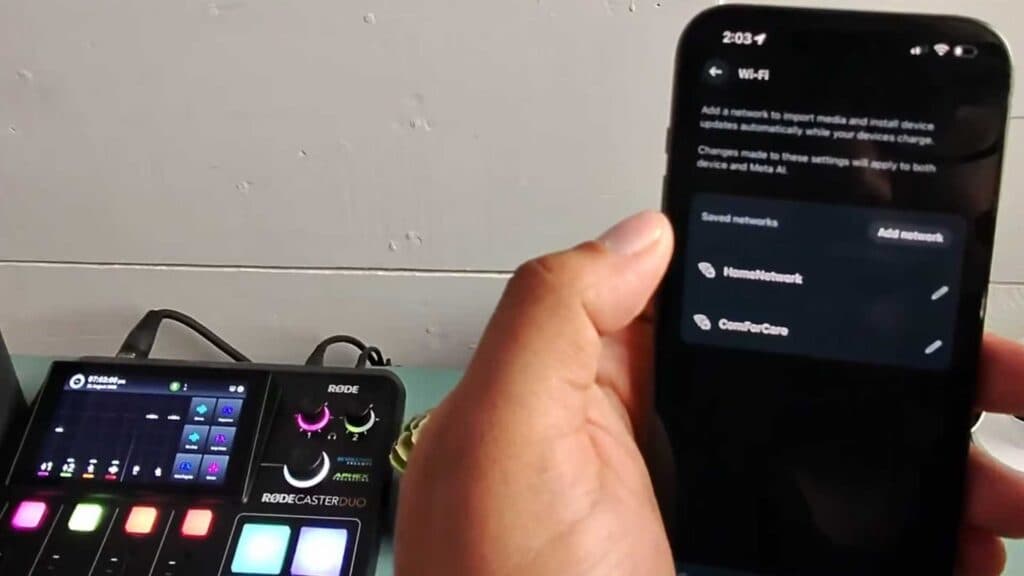
Your Meta Ray-Ban smart glasses are not connected to the correct Wi-Fi network. You can update these settings through the Meta View app on your smartphone.
- Open the Meta View app on your phone and go to your settings. [0:15]
- Select the Wi-Fi option and choose to add a new network. [0:18]
- To import your media, ensure the glasses are connected to the network and follow the prompt to connect to the specific Wi-Fi signal generated by the device. [0:46]
Ninja Tip: If you frequently switch between networks, ensure your phone’s Bluetooth is enabled before starting the import process, as the Meta View app relies on a stable Bluetooth handshake to manage the Wi-Fi configuration between your glasses and the local network.
If the connection continues to fail, perform a factory reset by navigating to Settings > Your Glasses > Device Details > Factory Reset in the Meta View app.
Keep Reading




