How to Change the Recording Length on Your Ring Doorbell

By Trae Jacobs,

When you buy through our links, we may earn an affiliate commission.
Your Ring camera stops recording too quickly when it detects motion. You can adjust this setting to capture longer clips directly in the app.
- Open the Ring app and select the camera or doorbell you want to update [0:02].
- Tap the menu icon and select Device Settings [0:18].
- Choose Video Settings to access the recording duration options [0:25].
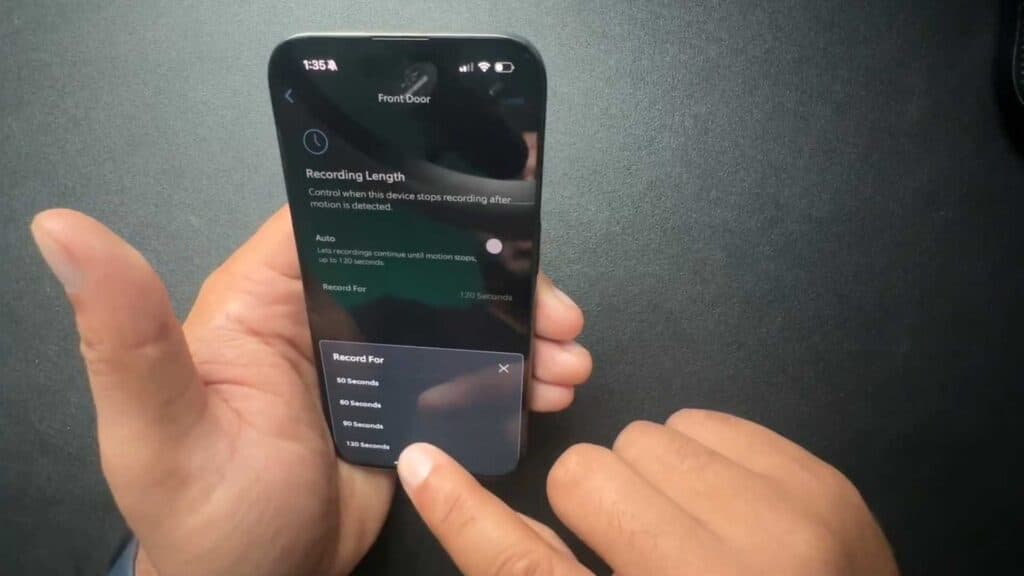
- Turn off the Auto setting to manually choose your preferred clip length, such as 50, 60, 90, or 120 seconds [0:40].
- Select your desired duration and tap Save to apply the changes.
Ninja Tip: Keep in mind that longer recording settings will drain your battery significantly faster if your device is not hardwired to a power source.
If you still experience recording issues, you can factory reset your device by navigating to Device Settings > General Settings > Device Health > Remove Device.
Keep Reading

