How to Change the Language and Region Settings on Your iPhone

By Sameer,

When you buy through our links, we may earn an affiliate commission.
Your iPhone is set to the wrong language or region for your current location. You can adjust these settings manually in your phone to match your preferences.
- Open the Settings app and tap on General to find your system preferences [0:12].
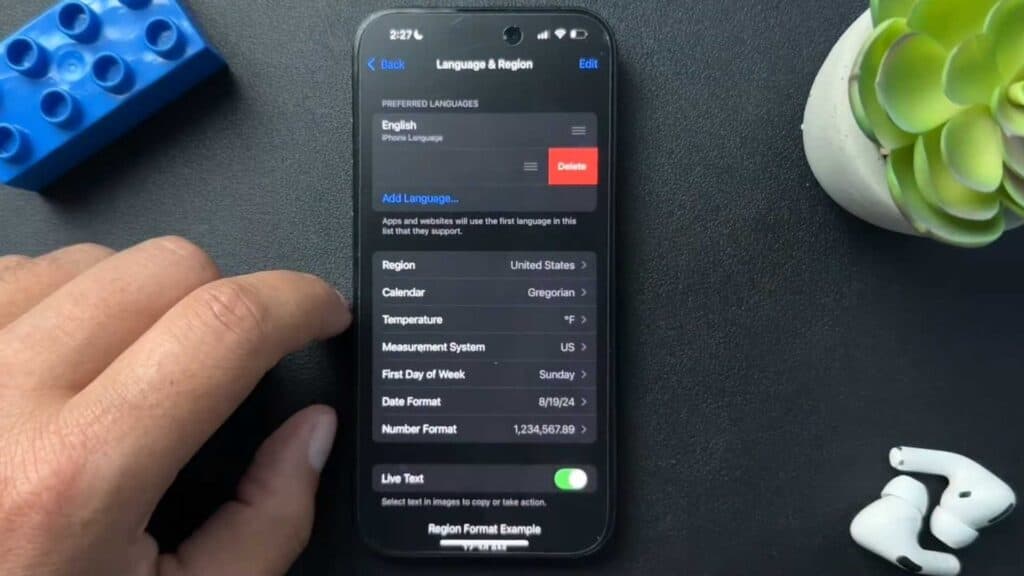
- Scroll down and select Language & Region to view your current configuration [0:21].
- Tap Add Language to include a new language or drag and drop your preferred language to the top of the list to make it the default [0:33].
- Select Region to update how your iPhone displays the date, time, numbers, and currency based on your location [1:26].
- Choose your desired calendar, measurement system, and temperature format within the same menu to finalize your setup.
Ninja Tip: If you want to use Siri in a specific language while keeping your phone interface in another, go to Settings > Siri & Search > Language to change the voice assistant independently.
For a complete reset of these preferences, go to Settings > General > Transfer or Reset iPhone > Reset > Reset All Settings.
Keep Reading


