How to Change Alarm Sounds and Adjust Volume on iPhone

By Trae Jacobs,

When you buy through our links, we may earn an affiliate commission.
Your iPhone alarm is currently playing the wrong sound or is not loud enough to wake you up. You can customize your alarm settings to fix this right now.
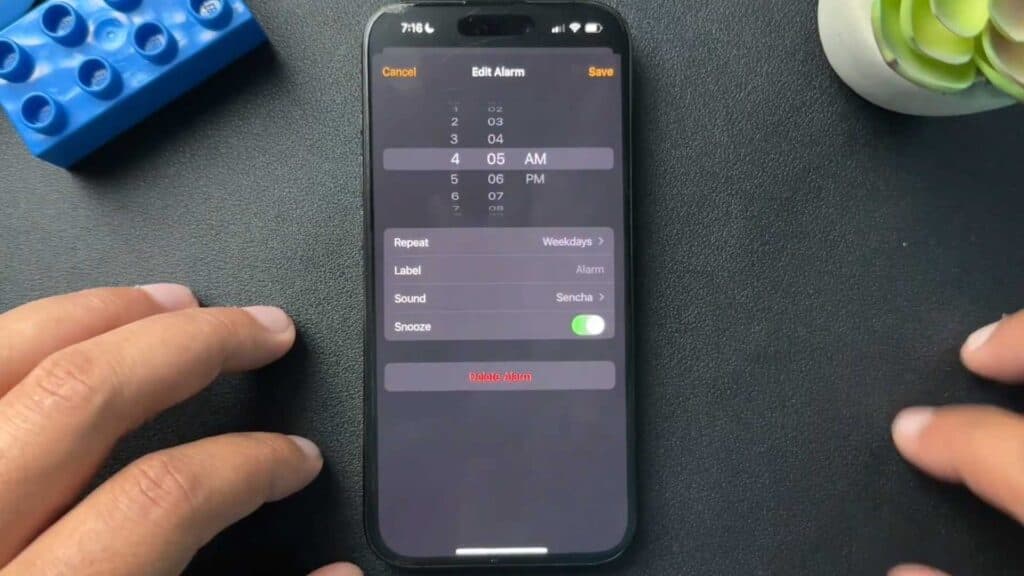
- Open the Clock app on your iPhone and tap on the specific alarm you want to change [0:42].
- Tap on Sound to select a new alert tone from the list or choose a song from your library [1:03].
- Go to your phone Settings, select Sounds & Haptics, and move the slider to the right to increase the volume of your alerts [1:58].
Ninja Tip: Check the Change with Buttons setting under Sounds & Haptics to ensure your physical volume keys don’t accidentally turn your alarm volume down when you are adjusting your media or ringer levels.
If you still experience issues, perform a reset by going to Settings > General > Transfer or Reset iPhone > Reset > Reset All Settings.
Keep Reading



