How to Cancel Your Amazon Prime Membership

By Trae Jacobs,

When you buy through our links, we may earn an affiliate commission.
Your Amazon Prime account is active, and you want to stop the recurring charges. You can cancel your subscription yourself by following these steps.
- Open the Amazon app, tap the account icon in the bottom navigation, and select Account [0:37].
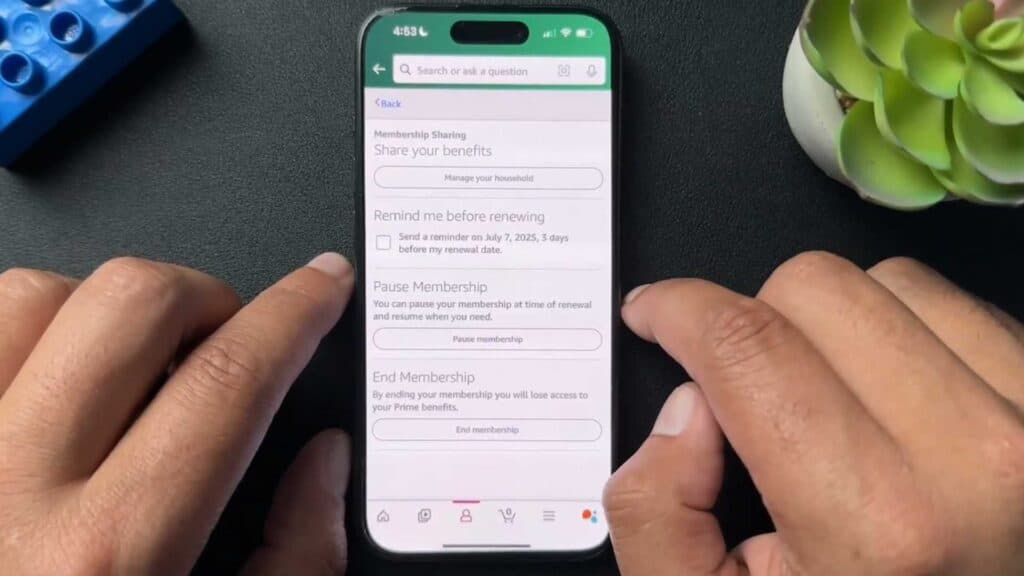
- Scroll down to the Account Settings section, tap Manage Prime Membership, and then select the Manage membership dropdown [0:49].
- Choose the option to update or cancel your membership and scroll to the bottom of the page to confirm your cancellation [1:11].
- Go to Amazon.com on your desktop, click the Account & Lists dropdown menu, and select Account [1:51].
- Click on the Prime membership tile to manage your plan [2:02].
- Select the Update, cancel and more dropdown and choose to end your membership.
Ninja Tip: Check if you are eligible for a partial refund by contacting Amazon customer support immediately after canceling if you have not used your Prime benefits during the current billing cycle.
For persistent issues regarding your subscription status, navigate to Customer Service > Help > Contact Us.
Keep Reading



