How to Bulk Delete Your Old Facebook Posts

By Trae Jacobs,

When you buy through our links, we may earn an affiliate commission.
You have years of old posts, photos, and videos cluttering your Facebook profile that you want to remove all at once. You can clear your account history quickly using the built-in activity log features.
- Open the Facebook app and tap your profile menu button to access your account settings [0:23].
- Navigate to your activity log, which is often found within a section labeled “Your activity” [0:39].
- Select your posts to see a list of everything you have shared on the platform [0:46].
- Remove any filters—like a “public” only filter—to ensure you are viewing all your content, including photos and videos [0:56].
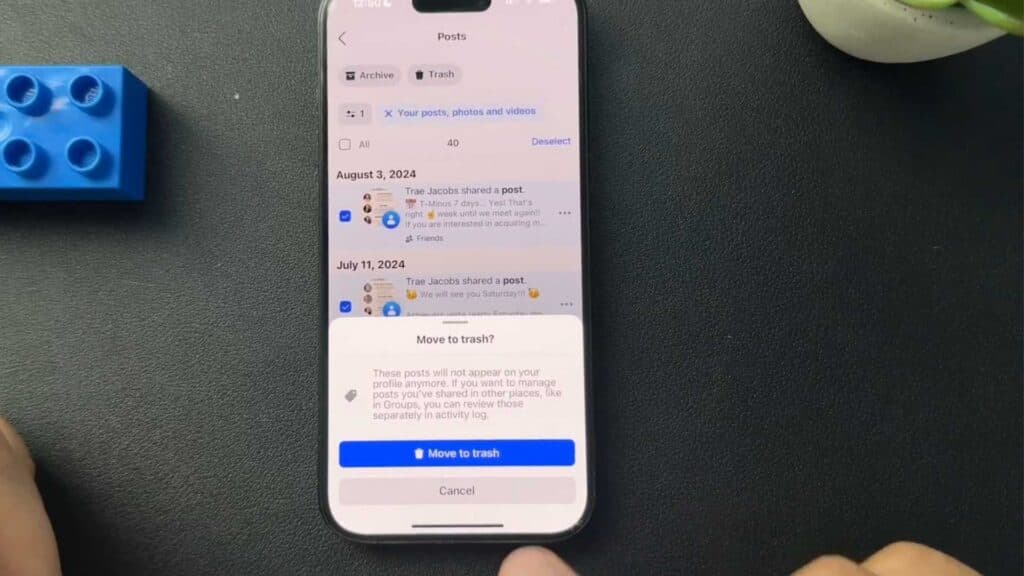
- Tap the “Select all” button to highlight all of your posts at once [1:05].
- Tap the trash icon at the bottom of the screen and confirm your choice by selecting Move to trash.
Ninja Tip: If you want to keep your content but just make it private, use the “Change Audience” feature in the activity log instead of deleting. This allows you to bulk-restrict your old posts to “Only Me” without losing the actual memories.
For a completely fresh start, you can deactivate or delete your entire account through Settings > Accounts Center > Personal details > Account ownership and control.
Keep Reading



